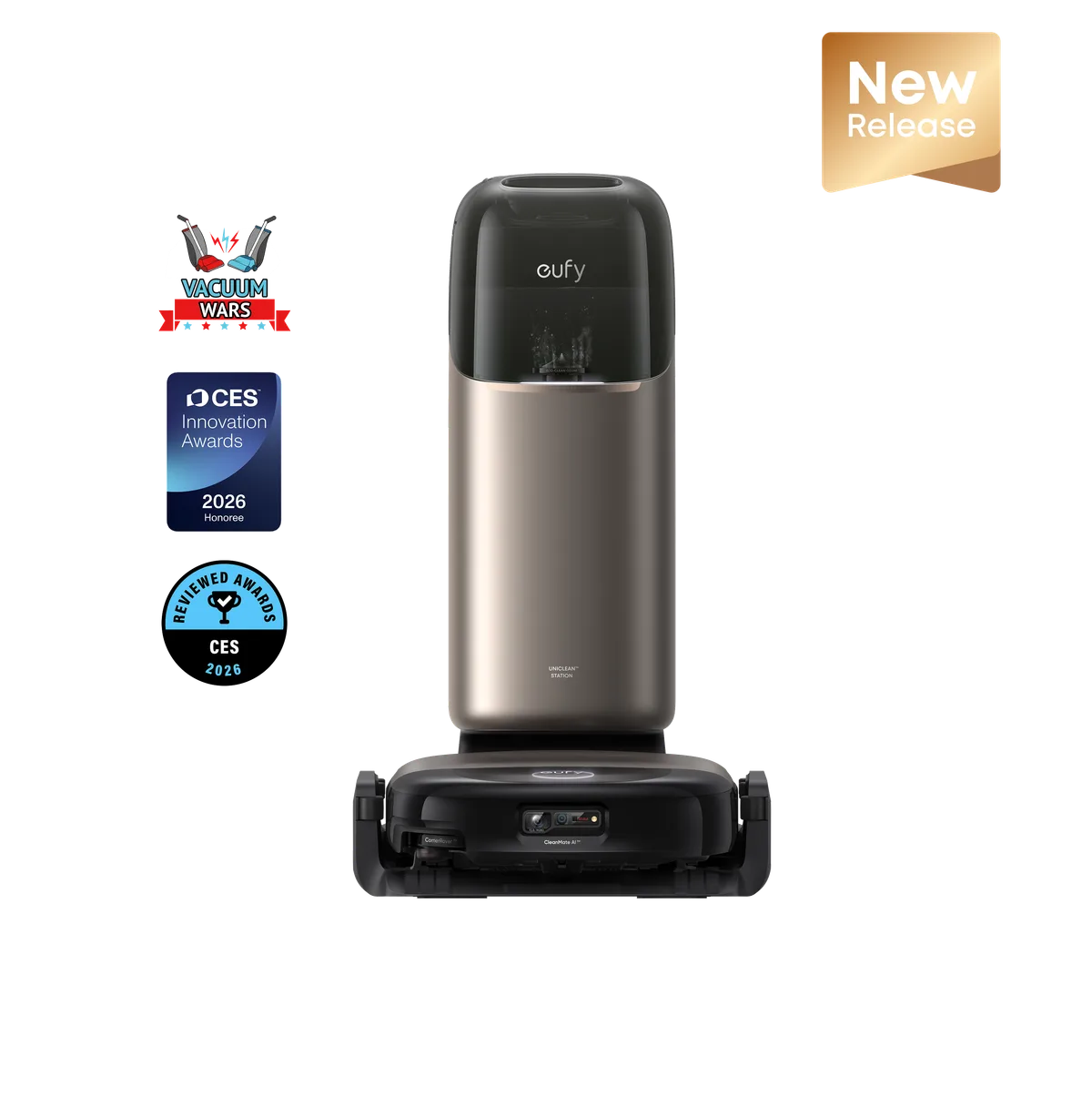
eufy Robot Vacuum Omni S2
Select
Overview
Detail
Compare
Select
Overview
Detail
Compare
Products Key Features Scene Video
Specs
Purchase for
Your Benefits
Installment
Pay with flex
as Plus Member
Plus Member
Other Benefits
Free Gift
You may select a complimentary Fragrance Refill as your gift.
Flexible installment payment options available.
Pay using HSA / FSA with flex
Highlights View Details
HydroJet™ 2.0 Self-Cleaning Roller Mop
Electrolyzed Water
Deep Carpet Cleaning
AirClean Filtration
AeroTurbo™ 2.0 Fade-Free Suction
DuoSpiral™ Detangle Brushes
Full Edge-to-Corner Coverage
All-in-One Station
Choice
Robot Vacuum Omni S2
Robot Vacuum Omni S2 Pro
Omni S2 + Accessory Kit + Hard Floor Cleaner * 2
Omni S2 + Dust Bag
Omni S2 + Accessory Kit
Omni S2 + Auto Refill and Drainage System
View More
Free Gift
Fragrance Refill for Robot Vacuum Omni S2
×1 Free
Frequently Bought Together What is
Basic Quarterly Accessory Bundle for eufy Omni S2
eufy Robot Vacuum Omni S2 is Ready
Add to Your Cart Now.
eufy Robot Vacuum Omni S2
Feature Overview
View More
View More
HydroJet™ 2.0 Self-Cleaning Roller Mop
99.99% Germ Removal
AeroTurbo™ 2.0 Fade-Free Suction System
Zero Tangles, Total Freedom
AirClean 5-Layer Filtration
HydroJet™ 2.0 Self-Cleaning Roller Mop
99.99% Germ Removal
AeroTurbo™ 2.0 Fade-Free Suction System
Zero Tangles, Total Freedom
AirClean 5-Layer Filtration
See What Users Are Saying
Vacuum Wars' Top Pick: eufy Omni S2
"While I focus on my recovery and my little one, my house stays clean without me having to make an effort."
"My paws are as clean as my conscience!"
"It's designed to stay powerful over time, not just on day-one. "
"I love coming home after a long day of doing human carpentry, and the floowrs are jsut done, nice and sanitized."
"After hospital shift, I don't know what comes home with me. That's why I use dufy Omni S2. "
"This helps me so much to have that extra time with my kids!"
"As an ER doctor, I don't think your home needs to be sterile, but I do think people underestimate how much contact we all have with the floor. "
HydroJet™ 2.0 Self-Cleaning Roller Mop Deep Cleans Your Floor
Effortless Stain Removal
Powerful scrubbing, better self-cleaning, and electrolyzed water to eliminate germs.
15N
Downward Pressure
11.4 in
Cleaning Coverage
32-Hole
Water Injection
Self-Cleaning Mop
99.99%
Sterilization
Flawless Finish, Every Time
AeroTurbo™ 2.0 Fade-Free Suction
AeroTurbo™ 2.0 ️ Fade-Free Suction
Removes visible and embedded dirty in carpets.
365-Day Fade-Free Suction Power
365 days of unwavering performance.
AeroTurbo™ 2.0 ️ Fade-Free Suction
Removes visible and embedded dirty in carpets.
365-Day Fade-Free Suction Power
365 days of unwavering performance.
Zero-Tangle Design
DuoSpiral™ brushes automatically prevent tangles and remove pet hair for easy, hands-free maintenance.
Hair Tangling Rate
Up to 20 in
Hair without Tangles
Side Brushes
Unstoppable Suction, Unmatched Cleaning
S2 powerful 100AW suction removes dust and debris.
Cleaner Air for Your Home
No Dust, No Leaks—Just Cleaner Air
Filters up to 99.99% of household allergens to help reduce dust leakage and keep the air in your home cleaner while vacuuming.
AirClean 5-Layer Filtration
Captures fine dust, allergens, and airborne particles before they can leak back into your home.
Note: Data based on measurements taken in the eufy lab.
CleanMind AI System
3D MatrixEye™ 2.0
Human-like vision with real-time 3D modeling, detecting obstacles over 1 cm and recognizing 200+ types like cables and shoes
Reaches Further. Crosses Higher
Achieves 100% corner cleaning, while the chassis lifts to cross double/single thresholds up to 1.65 in (4.2 cm)/ 1.38 in (3.5 cm).
Full Coverage for Edges and Corners
The roller mop can automatically be extended to tackle hard-to-reach areas like edges and corners
Smart Cleaning at Your Command
Control your cleaning experience effortlessly with voice commands. (Supports Siri, Alexa, and Google Home.)
Dimensions
What's in the Box
Which One is Right for You
Product
Clean Types
Eco-Clean Ozone™
Electrolyzed Water Sterilization
Portable Deep Cleaner
HydroJet™ Mopping System
Mop Type
Downward Pressure
Rotations Per Minute
Suction Power
Auto-Detangling
Obstacle Avoidance
Omni Station
Obstacle Clearance Height
Minimum Height and Width Restrictions
Robot/Station
Run Time
Built-In Fragrance Dispenser
App Control
Bluetooth
Wi-Fi
FAQ
How can I maintain S2's cleaning and mopping performance?
Before Cleaning: Remove items such as cables, socks, or toys to prevent reduced efficiency caused by repeated obstacle avoidance.
Vacuum First: Start with Vacuum-Only mode to clear dust and hair.
Water Level: Increase the mopping water volume in the app for enhanced cleaning performance.
Suction and Auto Dust Collection: For homes with pets or children, use High cleaning intensity, Turbo or Max suction mode, and set automatic dust collection to "Standard" at 15 - 30 min intervals.
Stain Cleaning: For stubborn stains, select Zoned Cleaning with Turbo suction and high water output. Enable the Auto Stain Cleaning feature for deeper cleaning when the robot detects stains (switching to Mop mode when necessary).
Accessories Maintenance: Clean the dirty water tank, dustbin, roller, main brush, and side brushes weekly or biweekly. Replace accessories based on app reminders when they reach the end of their lifespan.
System Updates: Keep your app and firmware up to date for the latest features and optimal performance.
How do I ensure optimal obstacle‑avoidance performance?
Enable AI.See: Turning on this feature activates AI-powered object recognition for more precise avoidance, and it gets smarter over time.
- Clear the Floor: Remove small items (cables, socks, toys, etc.) that may affect cleaning efficiency.
- Set Up No-Go Zones: Avoid using in areas such as dark stairs, black walls, thin chair legs, glass surfaces, reflective areas, low furniture ( 5 cm).
- Sensor Maintenance: Regularly wipe sensors (front camera, side laser, floor sensors) with a clean microfiber cloth to prevent dirt obstruction.
- Fix Carpet Edges: Flatten or secure soft rug edges to prevent entanglement, and avoid tasseled rugs.
- Avoid Dark or Reflective Materials: Remove black or highly reflective objects near doors, and cover transparent glass doors.
- System Updates: Keep your app and firmware up to date to ensure optimal performance and features.
How can I improve S2's carpet‑cleaning performance?
Carpet Modes:
- For short or medium‑pile carpets, use Vacuum-Only mode—S2 will lift the mop automatically to avoid getting the carpet wet.
- For tasseled or thick carpets (> 5 cm), use Carpet Avoidance mode—S2 will automatically skip those areas.
Note: Dark carpets may not be detected accurately; set no-go zones if necessary. On thick/long‑pile carpets, side brushes stop rotating to prevent tangling.
BoostIQ: Enable BoostIQ in the app to automatically increase suction when cleaning carpets.
System Updates: Keep your app and firmware up to date to ensure optimal performance and features.
How can I ensure S2 cleans my entire home in one go?
Remove Small Obstacles: Clear cables and small items from the floor to prevent tangling.
Set No-Go Zones: In the app, mark thick (> 5 cm) or thin carpets as no-go zones to prevent the robot from getting stuck.
Flatten Rug Edges: Secure curled carpet edges to ensure smooth movement.
Auto‑Resume Cleaning: Enable Auto Return and Resume in the app for large homes—S2 will recharge and continue cleaning automatically.
System Updates: Keep your app and firmware up to date to ensure optimal performance and features.
How can I quickly create a complete 3D map with S2?
Before Mapping: Remove small items (cables, socks, toys, etc.) and open all doors to target rooms.
New Map Setup: Make sure 3D Map is enabled in the app, along with furniture and room naming features.
Map Editing: Mapping accuracy depends on the environment and improves over time. You can manually edit maps, merge or split rooms, and add furniture or carpets by tapping "Edit Map."
Note: Due to the variety of furniture types, some special pieces may not yet be supported. More will be added in future versions.