M4300
Layer 3 Switches for AV and Enterprise Networks
- Sort By
- Best Matches Sort By: Price Low to High Sort By: Price High to Low Sort By: Newest
Limited record: this part has neither specifications nor a datasheet in the catalog yet. It is shown for reference and is not indexed.
Layer 3 Switches for AV and Enterprise Networks
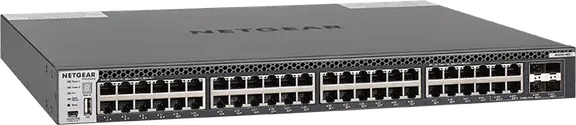
Netgear M4300, listed under “Core and Aggregation Switches”.
M4300 Layer 3 Switches for AV and Enterprise Networks
From edge to core, these Layer 3 switches handle high-density traffic with precision and uptime. Stack smarter. Route faster. Deploy with confidence.
See More Managed Switch Options
Filter By
Filter & Sort
9 Items
Sort By
Sort By: Best Matches Sort By: Price Low to High Sort By: Price High to Low Sort By: Newest
Sort By: Best Matches Sort By: Price Low to High Sort By: Price High to Low Sort By: Newest
Fully Managed M4300-24X24F (XSM4348S)
XSM4348S
48 Ports
PoE+
Rackmount
10G/1G
Contact a Rep Learn More
Fully Managed M4300-48x (XSM4348CS)
XSM4348CS
48 Ports
Rackmount
10G/1G
Contact a Rep Learn More
Fully Managed m4300-24x (XSM4324CS)
XSM4324CS
24 Ports
PoE+
Rackmount
10G/1G
Contact a Rep Learn More
Fully Managed M4300-8X8F (XSM4316S)
XSM4316S
16 Ports
Rackmount
10G/1G
Contact a Rep Learn More
Fully Managed M4300-16X 600W PSU (XSM4316PB)
XSM4316PB
16 Ports
PoE+
Rackmount
10G/1G
Contact a Rep Learn More
Fully Managed M4300-52G (GSM4352S)
GSM4352S
52 Ports
Rackmount
10G/1G
Contact a Rep Learn More
Fully Managed M4300-52G-PoE+ 1000W (GSM4352PB)
GSM4352PB
52 Ports
PoE+
Rackmount
10G/1G
Contact a Rep Learn More
Fully Managed M4300-52G-PoE+ 550W (GSM4352PA)
GSM4352PA
52 Ports
PoE+
Full width with dual, redundant modular PSUs for business continuity
10G/1G
Contact a Rep Learn More
Fully Managed M4300-28G PoE+ (GSM4328PB)
GSM4328PB
28 Ports
PoE+
Rackmount
10G/1G
Contact a Rep Learn More
Showing 1-9 of 9
FAQs
What makes the M4300 suitable for professional AV over IP applications?
Our M4300 switches are purpose-built for professional AV over IP. They support seamless Layer 2 multicast with IGMP Plus™, eliminating the need for complex Layer 3 PIM routing. Pre-configured AV profiles simplify setup, while full-speed stacking and non-stop forwarding ensure uninterrupted performance. With models supporting various speeds from 1G to 40G, and options for PoE+, these switches can handle a wide range of AV equipment. They are also SDVoE-ready, ensuring optimal performance for video applications.
How do you configure an M4300 switch for the first time?
To configure an M4300 switch for the first time, connect your computer to any port and access the web GUI via the default IP address. Use the initial setup wizard to assign a management IP, set login credentials, and configure VLANs or link aggregation if needed. For AV setups, select predefined AV profiles from the NETGEAR AV GUI. You can also manage the switch using CLI, SNMP, or NETGEAR’s Engage Controller. Once basic settings are saved, the switch is ready for integration into your network.
Do you need a license to use the advanced Layer 3 features on an M4300 switch?
No, you do not need a license to use the advanced Layer 3 features on an M4300 switch. All features - including static and dynamic routing, multicast support, and policy-based routing - are included out of the box with no additional fees or licenses required.
No published question about this part yet. Questions are reviewed before publication.
Every characteristic recorded for M4300, with where it comes from. Use the filters to find one quickly.
| Characteristic | Value |
|---|---|
| Sort By | Best Matches Sort By: Price Low to High Sort By: Price High to Low Sort By: Newest |
No specification matches.
Last verification : 2026-11-05
Official documents and the technical data recorded for M4300. For a missing document or a specific revision, our experts send it to you.
Netgear M4300, listed under “Core and Aggregation Switches”.
| Parameter | Value |
|---|---|
| Sort By | Best Matches Sort By: Price Low to High Sort By: Price High to Low Sort By: Newest |
Similar parts to answer your needs. Compare the main characteristics. A recorded replacement is a documented relation; a similar product is a similarity only, never a compatibility claim.
Layer 3 Switches for AV and Enterprise Networks
30 Port SFP+ Layer 3 Managed Industrial Ethernet Switch

Layer 3 10GBASE-X SFP+ + 4-Port 10GBASE-T Managed Ethernet Switch
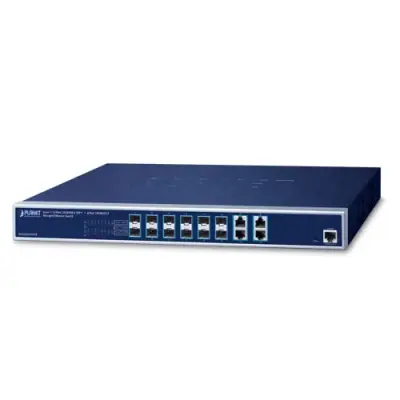
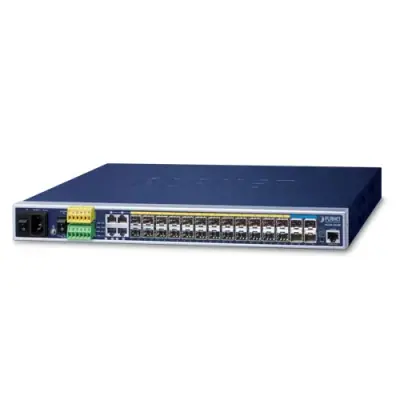
L3 100/1G SFP with 4 shared 10/100/1000T + 10-Port 1G/2.5G SFP + 4-Port 10G SFP+ Metro Ethernet Switch
Describe your application and constraints in a request.
What is recorded about the regulatory status and the life of this part.
No compliance statement is recorded for this part. Ask the supplier for the RoHS and REACH declarations and, for a radio product, the EU declaration of conformity.
| Current status | Status not stated |
| Key dates | Not recorded |
| Manufacturer part number | M4300 |
| Manufacturer | Netgear |
Core and Aggregation Switches
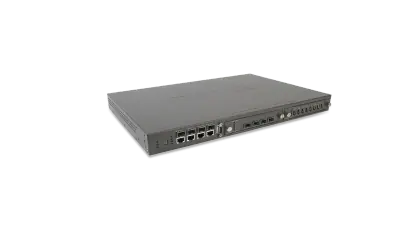
Gigabit Managed Layer 3 Switch with 4 SFP Ports · Ref. : DGS-3312SR
Price on request
Core and Aggregation Switches
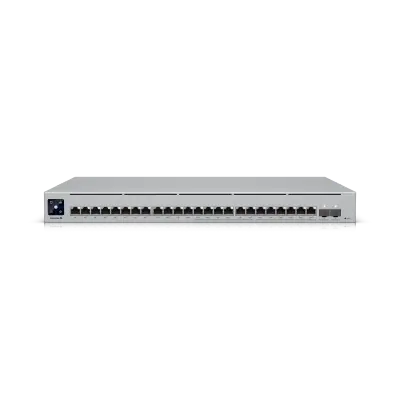
24-port Layer 3 PoE+ switch with 2.5 GbE and 10G SFP+ · Ref. : USW-ENTERPRISE-24-POE
Price on request
Core and Aggregation Switches
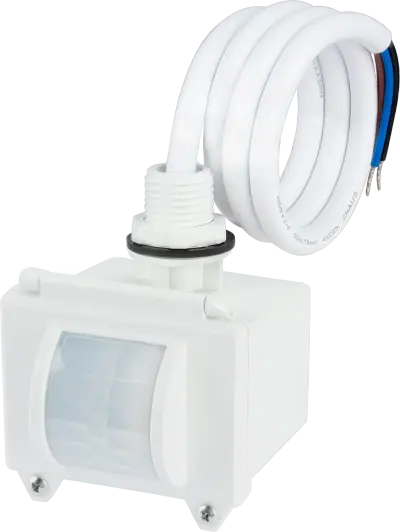
IP65 high bay dual sense presence sensor HF and PIR · Ref. : HIM30-B-L2
Price on request
Core and Aggregation Switches
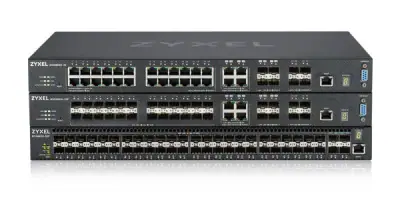
28-port GbE L3 aggregation switch with 4 SFP+ uplinks
Price on request
No advertising or analytics cookies. A single, strictly necessary cookie is set only if you sign in to your account. Your quote basket and comparison stay in your browser. Details