
PIM301
Button SHIM
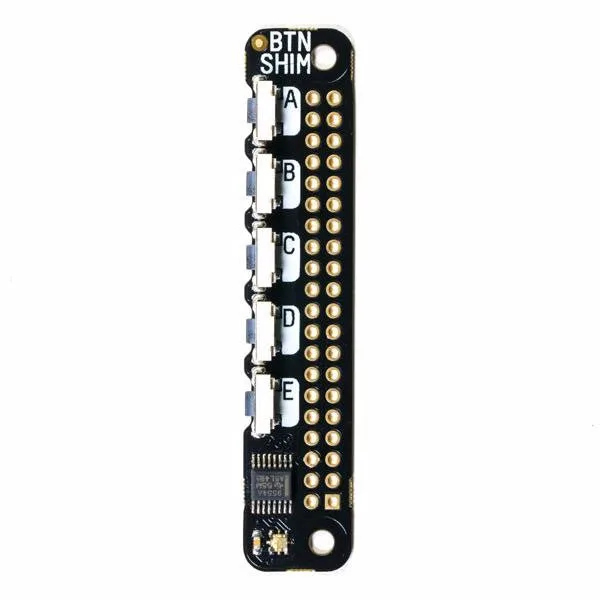
- Button dimensions
- 7x3.5x3.75 (WxHxD)
Button SHIM
Pimoroni PIM301, listed under “Prototype Shields and Boards”.
Button SHIM gives you five handy, physical buttons and an RGB status LED, and it's HAT and pHAT-compatible!
Our SHIM-format boards are designed to be soldered neatly onto your Pi's GPIO pins and still allow you to use HATs and pHATs at the same time. Or solder the included female header onto Button SHIM and use it as a standalone board. The buttons and status LED stick out from the top edge of your Pi, making them easy to access.
Use Button SHIM to add physical interaction and visual feedback to your project. It makes the perfect controller for our LED boards like Unicorn pHAT, Mote, and Blinkt! Or why not use it with Four Letter pHAT to turn your Pi into a proper alarm clock, or stopwatch/timer?
Features
5x tactile, right-angle push buttons
Single RGB LED (APA102)
Buttons driven through an IO expander (TCA9554A)
Super-slim SHIM-format board
0.8mm thick PCB
Can be used with HATs and pHATs
Button SHIM pinout
Compatible with all 40-pin header Raspberry Pi models
Python library
2x20 female header included
Requires soldering
Because we've used an IO expander to read the button states and drive the LED, you'll still have full access to all of your Pi's pins, assuming the I2C address ( 0x 3f) doesn't clash.
Software
We've put together a one-line-installer to install the Button SHIM Python library. You'll be up-and-running in a jiffy! There's even a few nice example programs showing how to use Button SHIM to control your Pi's audio, how to control the status LED, and how to mimic key presses.
To install the software, open a terminal and type curl | bash to run the one-line-installer.
Notes
It's important to install Button SHIM the correct way round, with the buttons facing outwards from your Pi, and the buttons on the top (check the photos on this page if you're unsure)
Board dimensions: 65x13x4.5mm (WxHxD, depth includes buttons)
Button dimensions: 7x3.5x3.75 (WxHxD)
Dimensional drawing
No published question about this part yet. Questions are reviewed before publication.
Every characteristic recorded for PIM301, with where it comes from. Use the filters to find one quickly.
| Characteristic | Value |
|---|---|
| Board Dimensions | 65x13x4.5mm (WxHxD, depth includes buttons) |
| Button dimensions | 7x3.5x3.75 (WxHxD) |
No specification matches.
Last verification : 2026-11-04
Official documents and the technical data recorded for PIM301. For a missing document or a specific revision, our experts send it to you.
Pimoroni PIM301, listed under “Prototype Shields and Boards”.
| Parameter | Value |
|---|---|
| Board Dimensions | 65x13x4.5mm (WxHxD, depth includes buttons) |
| Button dimensions | 7x3.5x3.75 (WxHxD) |
Similar parts to answer your needs. Compare the main characteristics. A recorded replacement is a documented relation; a similar product is a similarity only, never a compatibility claim.
Button SHIM
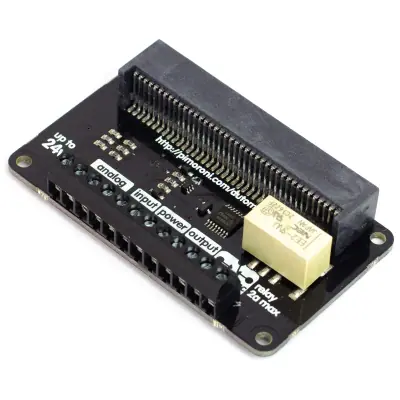
Automation:bit
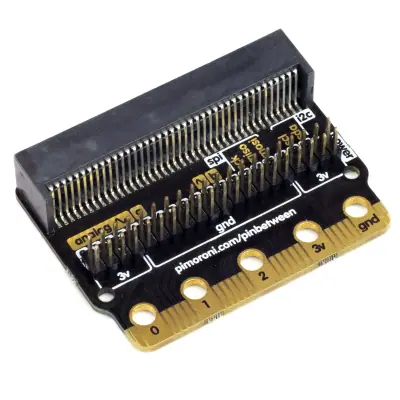
Pinbetween
Describe your application and constraints in a request.
What is recorded about the regulatory status and the life of this part.
No compliance statement is recorded for this part. Ask the supplier for the RoHS and REACH declarations and, for a radio product, the EU declaration of conformity.
| Current status | Status not stated |
| Key dates | Not recorded |
| Manufacturer part number | PIM301 |
| Manufacturer | Pimoroni |
Prototype Shields and Boards
Solderless expansion board for micro:bit · Ref. : PIM457
Price on request
Prototype Shields and Boards
Automation:bit
Price on request
No advertising or analytics cookies. A single, strictly necessary cookie is set only if you sign in to your account. Your quote basket and comparison stay in your browser. Details