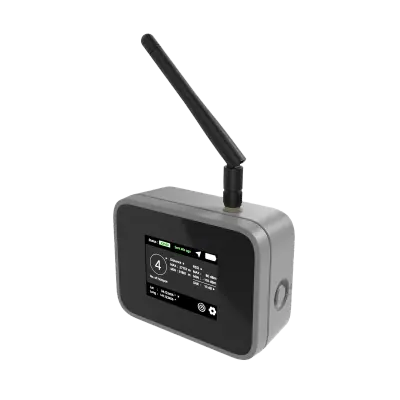
RAKwireless LoRaWAN field tester for measuring network coverage and radio quality on site, in the 8xx MHz version for EU868, RU864 and IN865.
Frequency band8XX MHz for EU868/RU864/IN865
Frequency1575.42 MHz
CertificationsFCC, IC, WPC
ChargingCondition: USB Type-C
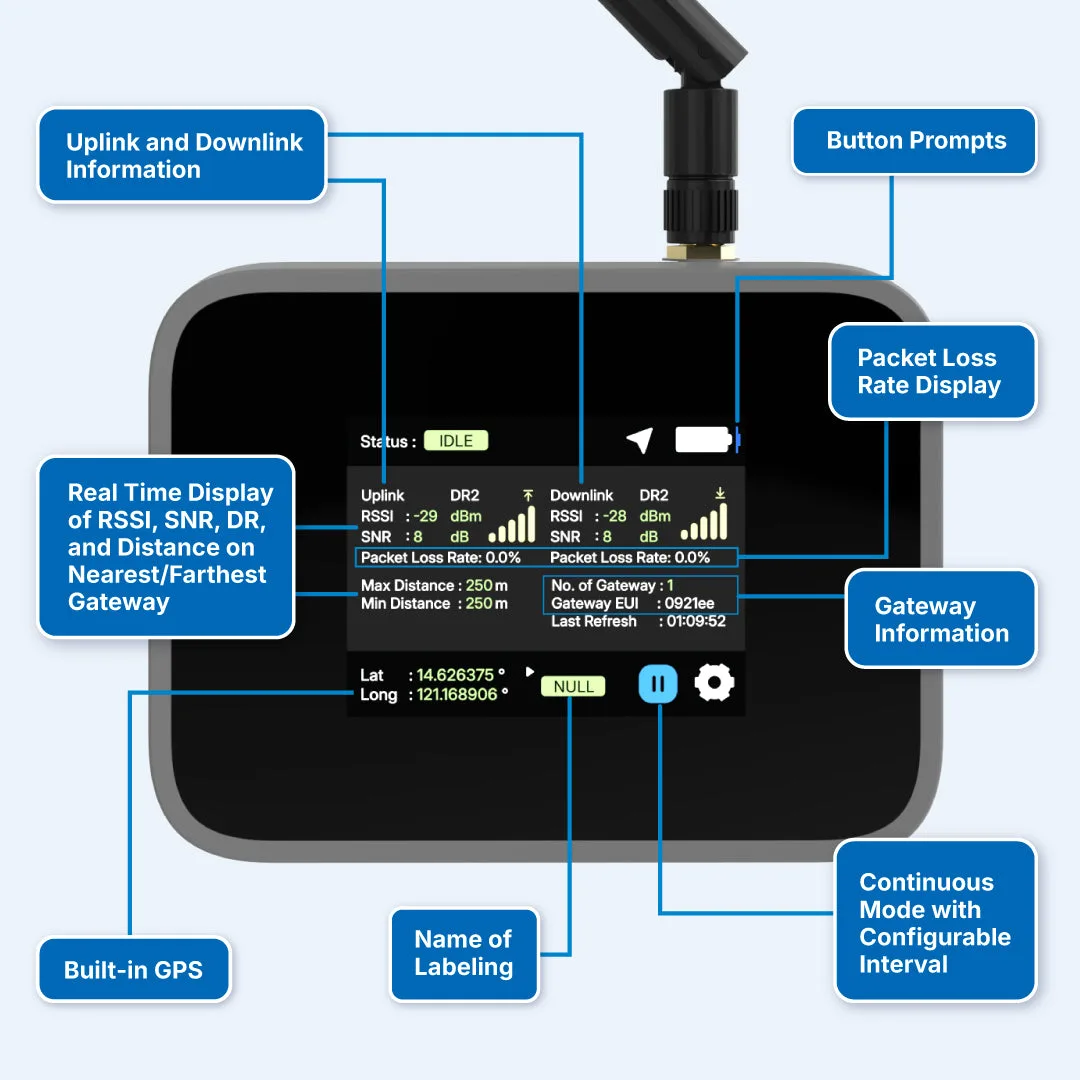
Easy test location taggingLabel each spot directly on the device
ModelRAK10701
Product overview
Overview. The RAK10701-Plus is a LoRaWAN field tester from RAKwireless (reference 215029) designed to assess coverage and performance of a LoRaWAN network, indoors and outdoors. It works standalone, without a phone app, through its TFT touch screen.
RF metrics. The device displays RSSI, SNR and packet loss for the uplink, and for the downlink in LinkCheck mode. A side button forces an uplink, and the latest 15 values of each metric can be viewed as a graph.
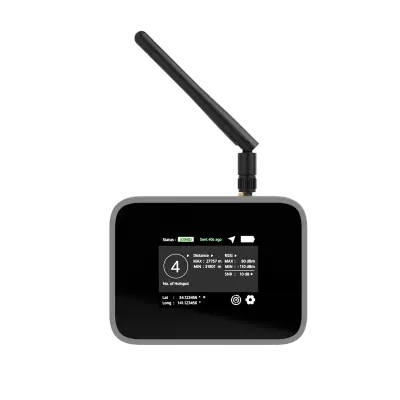
Location. GPS provides real-time coordinates when signal is available. When location is active, the device estimates the distance to the nearest and farthest gateways, with a minimum unit of 250 meters. Test locations can be labelled and reports exported in CSV format.
Power and environment. The 3.7 V, 3200 mAh Li-ion battery recharges via USB Type-C. The operating temperature range is -10 °C to +60 °C and the storage range is -40 °C to +80 °C.
Typical uses. Checking gateway coverage during a deployment, locating weak-signal areas and optimising node placement, particularly on remote or large sites.
Integration. Compatible with the WisGateOS 2 Built-in LNS, The Things Network, Chirpstack and AWS IoT Core. The kit includes two antennas (2.3 dBi and 2.8 dBi), a hard case and a USB cable. Available on quotation from Atlas Electronics.
No published question about this part yet. Questions are reviewed before publication.
Complete specifications
Every characteristic recorded for 215029, with where it comes from. Use the filters to find one quickly.
All specifications (32)
Characteristic
Value
Frequency band
8XX MHz for EU868/RU864/IN865
All-in-one, no app needed
Use it independently with touch screen controls
Asia
Frequency Band: AS923-1/2/3/4; Field Tester Plus Frequency (MHz): 9xx MHz version
Australia
Frequency Band: AU915; Field Tester Plus Frequency (MHz): 9xx MHz version
Battery
Condition: 3.7 V, 3200 mAh Li-ion rechargeable
Canada
Frequency Band: US915; Field Tester Plus Frequency (MHz): 9xx MHz version
Certifications
FCC, IC, WPC
Charging
Condition: USB Type-C
Double Press
Double press the side button to force an uplink.
Easy test location tagging
Label each spot directly on the device
Europe
Frequency Band: EU868; Field Tester Plus Frequency (MHz): 8xx MHz version
Frequency
1575.42 MHz
Idle (LCD Off)
Condition: LCD is off; Power Consumption: 60 mA
Idle (LCD On)
Condition: LCD is on; Power Consumption: 120 mA
India
Frequency Band: IN865; Field Tester Plus Frequency (MHz): 8xx MHz version
Korea
Frequency Band: KR920; Field Tester Plus Frequency (MHz): 9xx MHz version
Long press
Hold the side button to display the power-off option.
LoRa Antenna Port (RP-SMA)
External antenna connection; comes with 2.0 dBi and 2.3 dBi antennas.
Model
RAK10701
North America
Frequency Band: US915; Field Tester Plus Frequency (MHz): 9xx MHz version
Operation Temp. Range
Min.: -10° C; Typical: +25° C; Max.: +60° C
RAK10701-Plus (8xxMHz)
One 2.3dBi antenna, one 2.8 dBi antenna, hard case
RAK10701-Plus (9xxMHz)
One 2.0dBi antenna, one 2.3 dBi antenna, hard case
Real-time performance data
See RSSI, SNR, and packet loss live
Russia
Frequency Band: RU864; Field Tester Plus Frequency (MHz): 8xx MHz version
Side Button
Power On/Off, Sleep/Wake, Force Uplink.; - Turn ON : Hold the button for 5 seconds.; - Turn OFF : Hold the button for 5 seconds.; - Sleep/Wake Display : Short press the button to toggle the display.; - Force Uplink : Double press the button to trigger an uplink.
Single press
Short press the side button to sleep/wake the screen.
Storage Temp. Range
Min.: -40° C; Typical: +25° C; Max.: +80° C
Touch Green Text
Tap the green text to view historical RF data for the selected metric.
Touch Settings
Tap to open settings and configure parameters or input labels.
Touchscreen LCD
Main user interaction via TFT touchscreen.
USB-C Port
Battery charging and device configuration.
No specification matches.
Last verification : 2026-10-31
Technical documentation
Official documents and the technical data recorded for 215029. For a missing document or a specific revision, our experts send it to you.
1. Technical overview
RAKwireless LoRaWAN field tester for measuring network coverage and radio quality on site, in the 8xx MHz version for EU868, RU864 and IN865.
Frequency band8XX MHz for EU868/RU864/IN865
Frequency1575.42 MHz
CertificationsFCC, IC, WPC
ChargingCondition: USB Type-C
Easy test location taggingLabel each spot directly on the device
2. Datasheet extract (recorded values)
Parameter
Value
Frequency band
8XX MHz for EU868/RU864/IN865
All-in-one, no app needed
Use it independently with touch screen controls
Asia
Frequency Band: AS923-1/2/3/4; Field Tester Plus Frequency (MHz): 9xx MHz version
Australia
Frequency Band: AU915; Field Tester Plus Frequency (MHz): 9xx MHz version
Battery
Condition: 3.7 V, 3200 mAh Li-ion rechargeable; Power Consumption: -
Canada
Frequency Band: US915; Field Tester Plus Frequency (MHz): 9xx MHz version
Certifications
FCC, IC, WPC
Charging
Condition: USB Type-C; Power Consumption: -
Double Press
Double press the side button to force an uplink.
Easy test location tagging
Label each spot directly on the device
Europe
Frequency Band: EU868; Field Tester Plus Frequency (MHz): 8xx MHz version
Frequency
1575.42 MHz
Idle (LCD Off)
Condition: LCD is off; Power Consumption: 60 mA
Idle (LCD On)
Condition: LCD is on; Power Consumption: 120 mA
India
Frequency Band: IN865; Field Tester Plus Frequency (MHz): 8xx MHz version
Korea
Frequency Band: KR920; Field Tester Plus Frequency (MHz): 9xx MHz version
Long press
Hold the side button to display the power-off option.
LoRa Antenna Port (RP-SMA)
External antenna connection; comes with 2.0 dBi and 2.3 dBi antennas.
Model
RAK10701
North America
Frequency Band: US915; Field Tester Plus Frequency (MHz): 9xx MHz version
Operation Temp. Range
Min.: -10° C; Typical: +25° C; Max.: +60° C
RAK10701-Plus (8xxMHz)
One 2.3dBi antenna, one 2.8 dBi antenna, hard case
RAK10701-Plus (9xxMHz)
One 2.0dBi antenna, one 2.3 dBi antenna, hard case
Real-time performance data
See RSSI, SNR, and packet loss live
Russia
Frequency Band: RU864; Field Tester Plus Frequency (MHz): 8xx MHz version
Side Button
Power On/Off, Sleep/Wake, Force Uplink.; - Turn ON : Hold the button for 5 seconds.; - Turn OFF : Hold the button for 5 seconds.; - Sleep/Wake Display : Short press the button to toggle the display.; - Force Uplink : Double press the button to trigger an uplink.
Single press
Short press the side button to sleep/wake the screen.
Storage Temp. Range
Min.: -40° C; Typical: +25° C; Max.: +80° C
Touch Green Text
Tap the green text to view historical RF data for the selected metric.
Touch Settings
Tap to open settings and configure parameters or input labels.
Touchscreen LCD
Main user interaction via TFT touchscreen.
USB-C Port
Battery charging and device configuration.
Applications and use cases
Architectures in which 215029 can play a role, derived from its category. This is not a compatibility statement: check the specifications against your requirements.
A school or small company needs RF measurement without a full laboratory budget. Spectrum analyzers, network analyzers, signal generators and cable testers make up a bench for radio work
Similar parts to answer your needs. Compare the main characteristics. A recorded replacement is a documented relation; a similar product is a similarity only, never a compatibility claim.
No advertising or analytics cookies. A single, strictly necessary cookie is set only if you sign in to your account. Your quote basket and comparison stay in your browser. Details