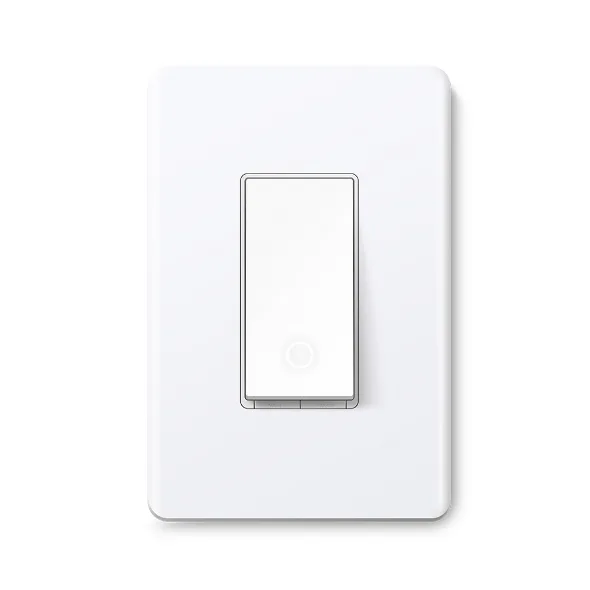
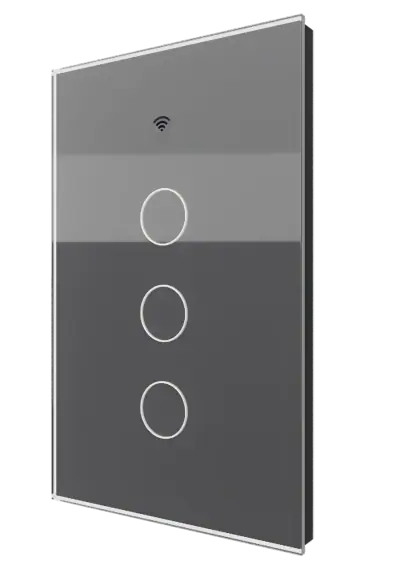
Smart Wi-Fi Light Switch, Matter
Tapo S505
Matter Certified – Integrate Matter-certified Tapo devices with other Matter end products into your preferred ecosystem.
Voice Control – Manage your smart switch with voice commands via Amazon Alexa, Apple Siri, or Google Assistant.
Remote Control – Instantly turn connected devices on/off from wherever you are through the Tapo app.
Schedule – Preset a schedule to automatically manage devices.
Auto-Off – Automatically turns off a connected device after the device is left on for a set time.
Away Mode – Randomly turns devices on and off at different times to give the appearance that someone is home.
Smarter with Sensors – Create Smart Actions triggered by Tapo smart sensors for greater automation.
Smarten Up
Your Traditional Lights
Smart Wi-Fi Light Switch
Tapo S505
Voice Control
Remote Control
Auto-Off Timer
Set Schedules
Away Mode
Smarter with Sensors
Flame-Retardant
Unprecedented Compatibility
Meet Matter
All-Round Compatibility
With Matter support, using one app to control all smart devices is no longer a fantasy. Integrate Tapo Matter devices into your favorite ecosystems to create a unified smart home.
Learn more about Matter>>
TP-Link's Matter products instructions>>
Voice Control
Free up your hands by using simple voice commands with Siri®, Alexa, Google Assistant, or any other Matter-compliant voice assistant.
Hey Siri®, turn on the living room lights.
Local Control
Your connected devices at home remain accessible via the Tapo app even when the household goes offline.
Control from Anywhere
Control your lights, ceiling fans, and other connected devices from anywhere via the Tapo app.
Live Smarter with presets
Device will auto turn off
00:05:52
Auto-Off Timer
Automatically turns off a connected device after the device is left on for a set time, saving energy. No more wasted electricity in unoccupied areas ever again.
06:00 PM
Schedule
Set schedules to automatically turn on/off your smart switches according to your daily routine and preferences.
Smarter with Tapo Sensors
Effortlessly control your lights by setting automation or scenes triggered by Tapo smart sensors.
Tapo Hub Tapo Sensor Tapo S505
1. Tapo Smart Sensors are sold separately. When working with smart sensors, the Tapo Hub is required.
More Versatile with a Tapo Smart Button
Pair with a Tapo Smart Button to turn your single-pole switch into a 3-way or even 4-way switch without rewiring.
Tapo Hub Tapo Button Tapo S505
2. Tapo S505 is a Single Pole switch and not compatible with 3-way wiring. Tapo Smart Buttons are sold separately. When working with a Tapo Smart Button, the Tapo Hub is required.
Set Scenes
Control multiple devices all at once for a customizable scene. Instantly set the perfect ambience for any activity.
Share to Family
The Matter protocol enables family members to access your home's smart products through different control ecosystems.
Away Mode
Automatically turn on and off connected appliances, like lights, to make it appear as if you're home.
Enjoy Easy, Friendly Setup
Tapo offers users multiple options to simplify configuration experiences. Use Bluetooth to easily onboard the smart switch with the Tapo app. Users can also set up Tapo S505 by scanning the included code with any Matter-compatible app, such as the Alexa app, Google Home app, and Apple Home app.
Tapo app: Bluetooth Onboarding
Matter-Compatilble app: Scan the Matter Code
Setup Guide for Matter products >>
Scan the QR code to download Tapo app:
Easy to Install
Turn off the circuit breaker.
Then remove your old wall switch.
Connect the wires to the smart switches as shown below.
Ground: Usually green or copper.
Neutral: Usually white, and not connected to the dumb switch.
Line/Load: Usually black, and connected to the dumb switch.
If you are unsure, consult a qualified electrician.
Note: No need to distinguish between Line and Load wires.