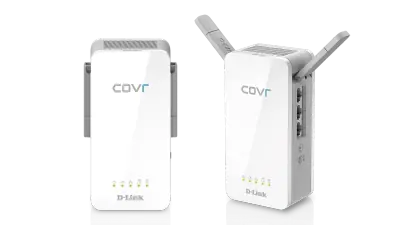
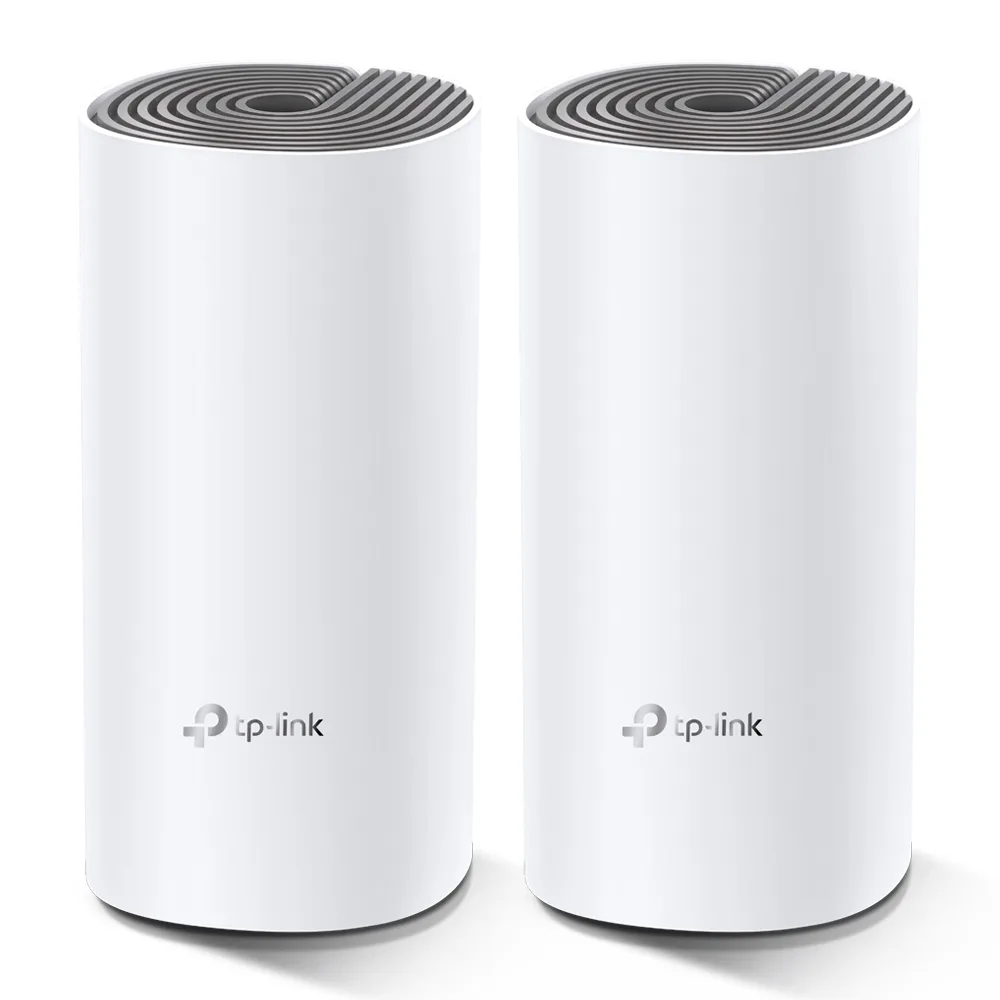
AC1200
Whole Home Mesh WiFi System
- WiFi Encryption
- WPA-Personal; WPA2-Personal
- WiFi Transmission Power
- CE: FCC: <30 dBm
- Buttons
- Reset Button
- Cloud service
- OTA Firmware Upgrade TP-Link ID DDNS
Whole Home Mesh WiFi System
TP-Link AC1200, listed under “Mesh Wi-Fi Systems”.
AC1200 Whole Home Mesh WiFi System
Whole Home Coverage: Deco W2400 (2-pack) uses a system of units to achieve seamless whole-home WiFi coverage up to 3,000 ft— if that's not enough, simply add more Deco units to the network to increase coverage at any time.*
TP-Link Mesh Technology: With advanced Deco Mesh Technology, units work together to form a unified network with a single network name. Devices automatically switch between Decos as you move through your home for the fastest possible speeds.***
Fast Dual-Band WiFi: Deco W2400 provides fast and stable dual-band WiFi up to 1167 Mbps combined.*
Connect More Devices: Deco can handle traffic from even the busiest of networks, providing lag-free connections for up to 100 devices.*
Parental Controls: Limit online time and block inappropriate websites according to unique profiles created for each family member.
Easy Setup: Setup is easier than ever with the Deco app there to walk you through every step.
Overview
Fast. Stable. Everywhere.
Whole Home Mesh Wi-Fi System
AC1200 Dual-Band Wi-Fi
Deco W2400
Wi-Fi Dead-Zone Killer
Deco W2400 is the simplest way to guarantee a strong Wi-Fi signal in every corner of your home up to 3000 Square feet(2-pack).* Wireless connections and optional Ethernet backhaul work together to link Deco units, providing even faster network speeds and truly seamless coverage.Want more coverage? Simply add another Deco.
Ranch-Style Home
Multi-Story Home
L-Shaped Home
2.4 GHz wireless connection 5 GHz wireless connection Optional Ethernet backhaul
Seamless Roaming with One Wi-Fi Name
TP-Link Mesh means Deco units work together to form one unified network. Your phone or tablet automatically connects to the fastest Deco as you move through your home, creating a truly seamless Wi-Fi experience.***
Learn More about TP-Link Mesh >>
No More Buffering
Network speeds three times faster than previous generation routers, thanks to 802.11ac wireless technology, make Deco capable of providing a lag-free connection to up to 100 devices.*
5 GHz 867 Mbps
2.4 GHz 300 Mbps
Single-application connections for up to 100 devices
High-speed Downloading
IP Camera Streaming
720P Streaming
x30
Web Browsing
x10
Smart Home Devices
x22
1080P Streaming
4K Streaming
Testing of multiple applications conducted by TP-Link in December 2018.
Multiple 3-in-1 Router, Access Point and Range Extender Modes
Flexible and multifunctional, the Deco W2400 includes a variety of features allowing it to serve as a router, access point or range extender. Just choose the mode for your actual network demands and experience the maximum wireless flexibility.
Router (Default)
Instantly generate a private
wireless network.
Access Point
Create Wi-Fi access for any
existing wired network.
Range Extender*
Extend Wi-Fi range to
eliminate dead zones.
*Range Extender mode requires to update the firmware to the latest version, which will be released soon.
Robust Parental Controls
Simple, intuitive parental controls make it easy to
keep your children safe while they're online.
User Profiles
Easily create a profile for each family member and set custom time limits and online time allowances.
Filter Levels Keep your family safe online with one-touch security settings that block websites based on age-appropriateness.
Time Limits Set limits on how much time each person in your family can spend online.
Insights Check out which sites your children visit and how much time they spend on each to ensure your children are safe while they're having fun online.
Suspend Connectivity Take a break from Wi-Fi for dinner and family game nights. Just tap a button to suspend internet access for everyone in your home.
All Decos Can Work Together
Deco W2400 is compatible with every other Deco model to form a Mesh network. Expand Mesh Wi-Fi coverage anytime by simply adding more Decos.
Check how to configure mixed Deco network >>
Deco W2400 as the Main Router Deco W2400 as the Satelite
Deco M5
Deco M9 Plus
Deco W2400
Deco M3W
Deco M9 Plus
Deco P7
Deco W2400
Deco W2400
Deco M3W
Deco M3W
Wi-Fi Made Easy
App-Based Setup
Installing Deco W2400 is fast and easy. Just unpack the system, download the Deco app and follow its onscreen directions.
Learn how to set up the Deco system >>
Easy Management
Manage your Wi-Fi at home or away in the Deco app, including seeing the connected devices, prioritizing your devices, setting up a guest network and more.
Voice Control
Pair with Alexa to control Deco W2400 with simple voice commands. Enjoy the convenient life.
Specifications
For additional version information, please go to the support page.
Support
*Maximum wireless transmission rates are the physical rates derived from IEEE Standard 802.11 specifications. Range and coverage specifications along with the number of connected devices were defined according to test results under normal usage conditions. Actual wireless transmission rate, wireless coverage, and the number of connected devices are not guaranteed and will vary as a result of 1) environmental factors, including building materials, physical objects and obstacles, 2) network conditions, including local interference, volume and density of traffic, product location, network complexity, and network overhead and 3) client limitations, including rated performance, location, connection quality, and client condition.
Actual network speed may be limited by the rate of the product's Ethernet WAN or LAN port, the rate supported by the network cable, Internet service provider factors and other environmental conditions.
***Seamless roaming/No-Drop Wi-Fi refers to the Wi-Fi roaming that supports IEEE 802.11 k/v/r protocol, helping connected devices search and shift from one AP to another within 0.3 second. Clients need to support 802.11 k/v/r and may require additional setup. Performance may vary depending on the client device.
No published question about this part yet. Questions are reviewed before publication.
Every characteristic recorded for AC1200, with where it comes from. Use the filters to find one quickly.
| Characteristic | Value |
|---|---|
| Ethernet ports | 2× 10/100 Mbps Ports *Per Deco Unit Supports WAN/LAN auto-sensing |
| Buttons | Reset Button |
| Certifications | CE, FCC, IC, NCC, BSMI, IDA, RCM, JPA, JRF, VCCI, KC |
| Cloud service | OTA Firmware Upgrade TP-Link ID DDNS |
| Connect More Devices | Deco can handle traffic from even the busiest of networks, providing lag-free connections for up to 100 devices.* |
| DDNS | TP-Link |
| DHCP | Address Reservation DHCP Client List Server |
| Dimensions (W/D/H) | 3.6 × 3.6 × 7.5 in (90.7 × 90.7 × 190 mm) |
| Environment | Operating Temperature: 0℃~40℃ (32℉ ~104℉) Storage Temperature: -40℃~70℃ (-40℉ ~158℉) Operating Humidity: 10%~90% non-condensing Storage Humidity: 5%~90% non-condensing |
| Fast Dual-Band WiFi | Deco W2400 provides fast and stable dual-band WiFi up to 1167 Mbps combined.* |
| Guest Network | 1× 5 GHz Guest Network 1× 2.4 GHz Guest Network |
| IPTV | IGMP Proxy IGMP Snooping Bridge Tag VLAN |
| Management features | Deco App |
| NAT Forwarding | Port Forwarding; UPnP |
| Network security | SPI Firewall Access Control |
| Network Services Enabled by Default | Web Server Manage and configure device through web (HTTP/HTTPS) • Port: 80/443   Protocol: TCP DNS DNS • Port: 53   Protocol: TCP & UDP DHCP Server IP address assignment (DHCP) • Port: 67   Protocol: UDP App management Manage and configure device through app • Port: 22   Protocol: TCP • Port: 20001   Protocol: TCP • Port: 30001   Protocol: TCP • Port: 20002   Protocol: UDP |
| Package Content | Deco W2400 (2-pack) 2 Deco W2400 Units 1 RJ45 Ethernet Cable 2 Power Adapters Deco W2400 (1-pack) 1 Deco W2400 Unit 1 RJ45 Ethernet Cable 1 Power Adapter |
| Parental Controls | URL Filtering Time Controls |
| Protocols | IPv4 IPv6 |
| Quality of Service | QoS by Device |
| Standards and Protocols | Wi-Fi 5 IEEE 802.11ac/n/a 5 GHz IEEE 802.11n/b/g 2.4 GHz |
| System Requirements | Android 5.0 or later; iOS 9.0 or later; *Note: The minimum system requirements will be updated alongside updates to the app, subject to official website information. |
| WAN Types | Dynamic IP Static IP PPPoE PPTP L2TP |
| WiFi Capacity | Medium Dual-Band Distribute devices to different bands for optimal performance MU-MIMO Simultaneously communicates with multiple MU-MIMO clients |
| WiFi Encryption | WPA-Personal; WPA2-Personal |
| WiFi Range | 3-5 Bedroom Houses (3-pack) TP-Link Mesh Technology Optional Ethernet backhaul work together to link Deco units to provide seamless coverage 2× Antennas (Internal) Multiple antennas form a signal-boosting array to cover more directions and large areas Beamforming Concentrates wireless signal strength towards clients to expand WiFi range |
| WiFi Speeds | AC1200 5 GHz: 867 Mbps (802.11ac) 2.4 GHz: 300 Mbps (802.11n) |
| WiFi Transmission Power | CE: FCC: <30 dBm |
| Working modes | Router Mode Access Point Mode |
No specification matches.
Last verification : 2026-11-05
Official documents and the technical data recorded for AC1200. For a missing document or a specific revision, our experts send it to you.
TP-Link AC1200, listed under “Mesh Wi-Fi Systems”.
| Parameter | Value |
|---|---|
| Ethernet ports | 2× 10/100 Mbps Ports *Per Deco Unit Supports WAN/LAN auto-sensing |
| Buttons | Reset Button |
| Certifications | CE, FCC, IC, NCC, BSMI, IDA, RCM, JPA, JRF, VCCI, KC |
| Cloud service | OTA Firmware Upgrade TP-Link ID DDNS |
| Connect More Devices | Deco can handle traffic from even the busiest of networks, providing lag-free connections for up to 100 devices.* |
| DDNS | TP-Link |
| DHCP | Address Reservation DHCP Client List Server |
| Dimensions (W/D/H) | 3.6 × 3.6 × 7.5 in (90.7 × 90.7 × 190 mm) |
| Environment | Operating Temperature: 0℃~40℃ (32℉ ~104℉) Storage Temperature: -40℃~70℃ (-40℉ ~158℉) Operating Humidity: 10%~90% non-condensing Storage Humidity: 5%~90% non-condensing |
| Fast Dual-Band WiFi | Deco W2400 provides fast and stable dual-band WiFi up to 1167 Mbps combined.* |
| Guest Network | 1× 5 GHz Guest Network 1× 2.4 GHz Guest Network |
| IPTV | IGMP Proxy IGMP Snooping Bridge Tag VLAN |
| Management features | Deco App |
| NAT Forwarding | Port Forwarding; UPnP |
| Network security | SPI Firewall Access Control |
| Network Services Enabled by Default | Web Server Manage and configure device through web (HTTP/HTTPS) • Port: 80/443   Protocol: TCP DNS DNS • Port: 53   Protocol: TCP & UDP DHCP Server IP address assignment (DHCP) • Port: 67   Protocol: UDP App management Manage and configure device through app • Port: 22   Protocol: TCP • Port: 20001   Protocol: TCP • Port: 30001   Protocol: TCP • Port: 20002   Protocol: UDP |
| Package Content | Deco W2400 (2-pack) 2 Deco W2400 Units 1 RJ45 Ethernet Cable 2 Power Adapters Deco W2400 (1-pack) 1 Deco W2400 Unit 1 RJ45 Ethernet Cable 1 Power Adapter |
| Parental Controls | URL Filtering Time Controls |
| Protocols | IPv4 IPv6 |
| Quality of Service | QoS by Device |
| Standards and Protocols | Wi-Fi 5 IEEE 802.11ac/n/a 5 GHz IEEE 802.11n/b/g 2.4 GHz |
| System Requirements | Android 5.0 or later; iOS 9.0 or later; *Note: The minimum system requirements will be updated alongside updates to the app, subject to official website information. |
| WAN Types | Dynamic IP Static IP PPPoE PPTP L2TP |
| WiFi Capacity | Medium Dual-Band Distribute devices to different bands for optimal performance MU-MIMO Simultaneously communicates with multiple MU-MIMO clients |
| WiFi Encryption | WPA-Personal; WPA2-Personal |
| WiFi Range | 3-5 Bedroom Houses (3-pack) TP-Link Mesh Technology Optional Ethernet backhaul work together to link Deco units to provide seamless coverage 2× Antennas (Internal) Multiple antennas form a signal-boosting array to cover more directions and large areas Beamforming Concentrates wireless signal strength towards clients to expand WiFi range |
| WiFi Speeds | AC1200 5 GHz: 867 Mbps (802.11ac) 2.4 GHz: 300 Mbps (802.11n) |
| WiFi Transmission Power | CE: FCC: <30 dBm |
| Working modes | Router Mode Access Point Mode |
Answers to the questions that the recorded characteristics of AC1200 can answer. A question is not asked when nothing is recorded to answer it.
Yes — recorded under "Connect More Devices": Deco can handle traffic from even the busiest of networks, providing lag-free connections for up to 100 devices.*.
Yes — recorded under "Network security": SPI Firewall Access Control.
Yes — recorded under "Fast Dual-Band WiFi": Deco W2400 provides fast and stable dual-band WiFi up to 1167 Mbps combined.*.
Yes — recorded under "Ethernet ports": 2× 10/100 Mbps Ports *Per Deco Unit Supports WAN/LAN auto-sensing.
Similar parts to answer your needs. Compare the main characteristics. A recorded replacement is a documented relation; a similar product is a similarity only, never a compatibility claim.
Whole Home Mesh WiFi System
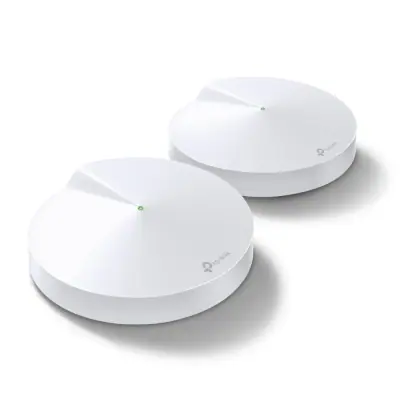
Whole Home Mesh Wi-Fi System
Deco Whole Home Mesh WiFi

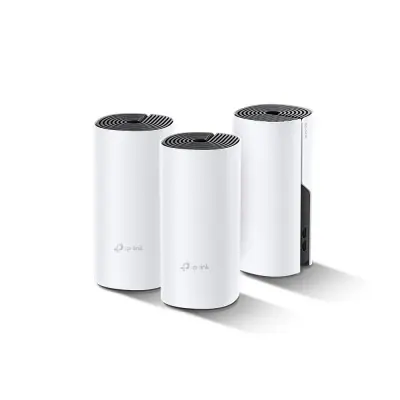
Whole Home Hybrid Mesh WiFi System
Describe your application and constraints in a request.
What is recorded about the regulatory status and the life of this part.
| Current status | Status not stated |
| Key dates | Not recorded |
| Manufacturer part number | AC1200 |
| Manufacturer | TP-Link |
Mesh Wi-Fi Systems
Tri-band Wi-Fi 6E mesh add-on satellite · Ref. : MS90
Price on request
Mesh Wi-Fi Systems
Hybrid Whole Home Mesh Wi-Fi System · Ref. : COVR-P2502
Price on request
Mesh Wi-Fi Systems
BE3600 whole-home Wi-Fi 7 mesh system, 3-unit kit · Ref. : H25BE
Price on request
Mesh Wi-Fi Systems
Dual-band Wi-Fi 6 gigabit mesh router 1800 Mbps · Ref. : RG-EW1800GX
Price on request
No advertising or analytics cookies. A single, strictly necessary cookie is set only if you sign in to your account. Your quote basket and comparison stay in your browser. Details