WL-UG69DK1
USB-C Dual 4K Docking Station
- System Requirements
- Windows 10/11/Mac/Linux/Android
Limited record: this part has neither specifications nor a datasheet in the catalog yet. It is shown for reference and is not indexed.
USB-C Dual 4K Docking Station
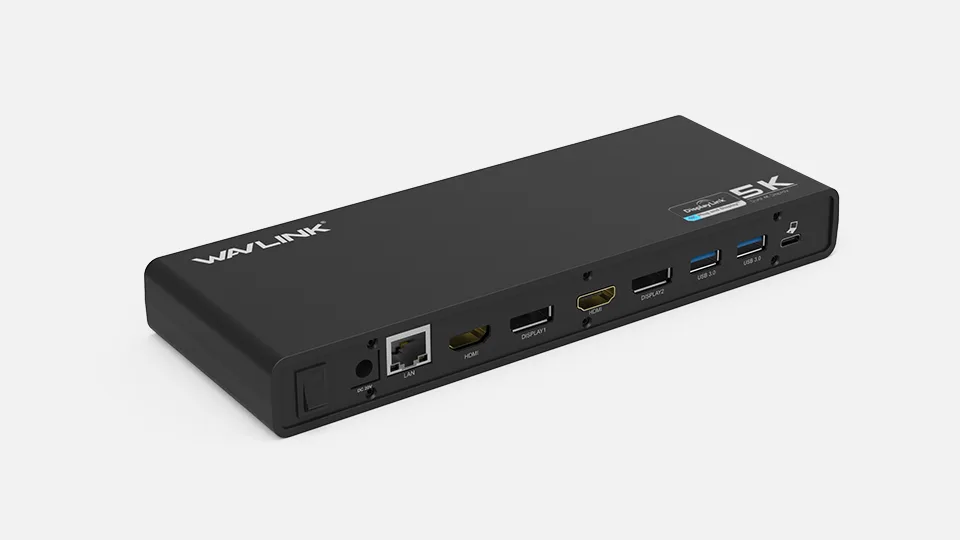
UG69DK1 USB-C Dual 4K Docking Station, 15 ports of incredible connectivity give you all your needs in a sleek, compact design.
WL-UG69DK1 USB-C Dual 4K Docking Station
Model: WL-UG69DK1
USB3.1 Gen1 Type-C and Type-A connectors compatible with Type-C/A laptops
Built-in USB3.0 GPU, plug and display certified by DisplayLink
2 x DisplayPort++ (Dual Mode DisplayPort 1.2) and 2 x HDMI (Version 2.0) support resolution up to dual (4K)4096 x 2160@60Hz/(5k)5120x1440@60hz
Support resolution (5K)5120 x 2880p60 when dual dp ports are connected
Supports extend and mirror video modes. 5.1 channel surround sound through DisplayPort interface
Gigabit Ethernet network RJ-45 backwards compatible with 10/100 Ethernet
2.0 Audio Line-out Jack for earphone and line-in Jack microphone
6 x USB3.0 ports compatible with all USB3.0 and USB2.0 devices
Wavlink online
Amazon US
Overview
Specifications
Driver
Manual
Q&A
USB-C Dual 4K Docking Station
One Dock Connects All
Designed for You
15 ports of incredible connectivity give you all your needs in a sleek, compact design.
Support Dual 4K High Resolution
Wavlink UG69DK1 supports dual 4K ultra 5K HD displays with one single cable, it will greatly help you work on high-resolution works, graphically intensive images, video editing, CAD drawings, medical images and so on.
The Most Versatile Dock Ever
WAVLINK USB-C ultra Universal Dock is a perfect companion for users who desire additional ports.
- 6 x SuperSpeed USB 3.0 ports
- 2 x 4K DisplayPorts
- 1 x Audio out
- 1 x USB-C in
- 2 x 4K HDMI
- 1 x Mic in
- 1 x Gigabit Ethernet
- 1 x 5k (DisplayPort + DisplayPort)
SuperSpeed USB 3.0
SuperSpeed USB 3.0 provides up to 5Gbps data transfer speeds, which is 10 times faster than USB 2.0. The WAVLINK UG69DK1 features 6 USB 3.0 ports, allowing for SuperSpeed data transfer between peripherals.
5Gb/s
usb 3.0
480Mb/s
usb 2.0
Less than one minute to copy 3 hours of HD video
Less than one minute to copy 3,000 photos
Less than one minute to copy 1,200 songs
Blazing-fast Gigabit Ethernet
Wired network connections are faster and more reliable than any Wi-Fi. The dock helps you tap into the full performance of wired network connections with built-in Gigabit Ethernet port.
One Dock for All
The WAVLINK UG69DK1 allows you easily connect various devices at once, helping you keep your workspace organized and efficient at all times.
Your Choice of Sound
With separate microphone input and amplified audio output, you can enjoy crystal-clear conference calls or any other project that benefits from having your voice heard.
Everything in a Dock – Neat and Simple
Specifications
TECHNICAL SPECIFICATIONS
Model
UG69DK1
Ports
6 x USB-A 3.0
2 x DisplayPort
2 x HDMI
1 x USB-C
1 x Audio Output Jack
1 x Microphone Input Jack
1 x RJ45 Gigabit Ethernet
1 x DC Power Jack Port
Button
1 x Power ON/OFF Switch
LED
Blue
Power Supply
DC20V / 2A
DIMENSIONS
Unit Dimensions
228mm x 80mm x 26mm ( L x W x H )
Housing Material
ABS
Shell Color
Black
FUNCTIONS
Working Standards
Hub running at USB 3.0 speed
DisplayPort resolution Max.4096 x 2160@60Hz
Ethernet running at Gigabit
2.0 Channel Audio
Operating System Support
Windows
Mac OS X
PACKAGE
In The Box
1 x USB-C Universal Docking station
1 x USB 3.0 C to C Cable
1 x USB 3.0 A to C Cable
1 x DC20V Certified Power Adapter
1 x User Manual
Driver
Version: DL_Displaylink
System Requirements: Windows 10/11/Mac/Linux/Android
Download:
ALL
Manual
WL-UG69DK1 Manuals
Description: WL-UG69DK1 Manuals
Post Date: 19/11/2025
Available: WL-UG69DK1
Online Reading: View
Q&A
What should I do if the video ports of the docking are not working?
Please ensure that the DisplayLink driver for the dock is installed.
For macOS: Make sure you have installed the DisplayLink Manager App and granted permission for Screen Recording.
You can download the driver here:
DisplayLink macOS Software for Downloads Section | Synaptics
What should I do if the dock is not working as expected on a Windows computer?
Please follow the steps below:
1. Disconnect the dock from your computer and unplug the power cable to fully power it off. Keep it disconnected until the final step.
2. Uninstall any DisplayLink software from Control Panel > Programs and Features (if present).
3. Download and run the DisplayLink Cleaner Tool:
DisplayLink Installation Cleaner for Windows | Synaptics
4. Restart your computer (even if not prompted).
5. Download and install the latest DisplayLink driver:
Windows Driver Downloads for Downloads Section | Synaptics
6. Reconnect the dock’s power first, then connect the dock to your computer.
If the device is not detected during installation, click “Skip” to complete the process, then restart your system again.
Why does the DisplayLink Manager App request screen recording access on my MacBook?
m acOS requires users to grant Screen Recording permission for the DisplayLink driver to function properly. The DisplayLink Manager App does not send any information to Wavlink or DisplayLink/Synaptics, so there is no need to worry.
Why can’t Apple TV, Hulu, or Netflix play when the docking station is connected?
1.The docking station does not support HDCP, so protected content from services like Apple TV, Hulu, and Netflix cannot be played while the dock is connected. This is expected behavior. Please disconnect the dock when playing these videos.
2.Alternatively, you can try :
1) Open Google Chrome settings.
2) Click on "Advanced" and select "System."
3) Disable "Use hardware acceleration when available"
4) Select "Relaunch" to activate the new settings.
Top
Overview
Specifications
Driver
Manual
Q&A
Get the Scoop First
sdsdssdsd
No published question about this part yet. Questions are reviewed before publication.
Every characteristic recorded for WL-UG69DK1, with where it comes from. Use the filters to find one quickly.
| Characteristic | Value |
|---|---|
| System Requirements | Windows 10/11/Mac/Linux/Android |
No specification matches.
Last verification : 2026-11-09
Official documents and the technical data recorded for WL-UG69DK1. For a missing document or a specific revision, our experts send it to you.
UG69DK1 USB-C Dual 4K Docking Station, 15 ports of incredible connectivity give you all your needs in a sleek, compact design.
| Parameter | Value |
|---|---|
| System Requirements | Windows 10/11/Mac/Linux/Android |
Similar parts to answer your needs. Compare the main characteristics. A recorded replacement is a documented relation; a similar product is a similarity only, never a compatibility claim.
USB-C Dual 4K Docking Station
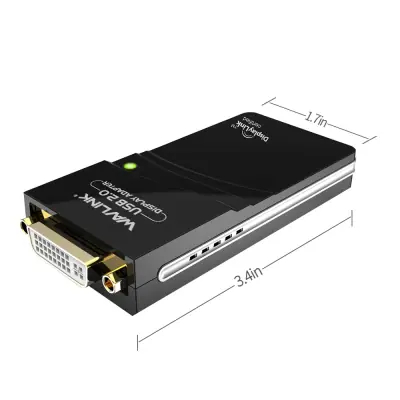
USB 2.0 to VGA/DVI/HDMI Video Graphic Adapter
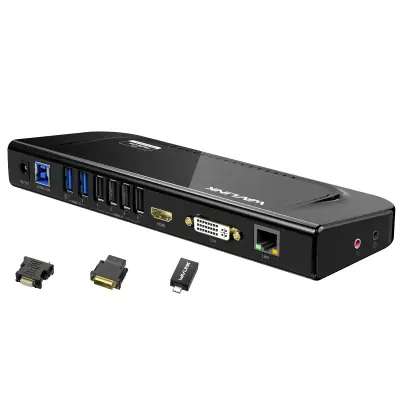
USB 3.0 Universal Dual Display Docking Station
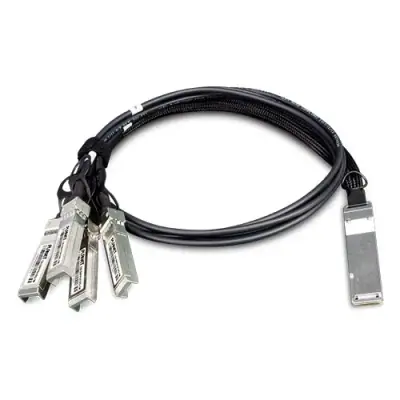
40G QSFP+ to 4 10G SFP+ Direct Attached Copper Cable -
Describe your application and constraints in a request.
What is recorded about the regulatory status and the life of this part.
No compliance statement is recorded for this part. Ask the supplier for the RoHS and REACH declarations and, for a radio product, the EU declaration of conformity.
| Current status | Status not stated |
| Key dates | Not recorded |
| Manufacturer part number | WL-UG69DK1 |
| Manufacturer | Wavlink |
USB Hubs and Adapters
8-in-1 USB-C Hub with 4K HDMI, Gigabit Ethernet, 100 W Power Delivery · Ref. : DUB-M810
Price on request
USB Hubs and Adapters
40G QSFP+ to 4 SFP+ Direct Attached Copper Cable · Ref. : 1M/3M/5M
Price on request
USB Hubs and Adapters
Universal USB 3.0 docking station with 12 ports · Ref. : UG39DK3
Price on request
USB Hubs and Adapters
USB-C to HDMI 4K 60 Hz Adapter · Ref. : UH401
Price on request
No advertising or analytics cookies. A single, strictly necessary cookie is set only if you sign in to your account. Your quote basket and comparison stay in your browser. Details