K159
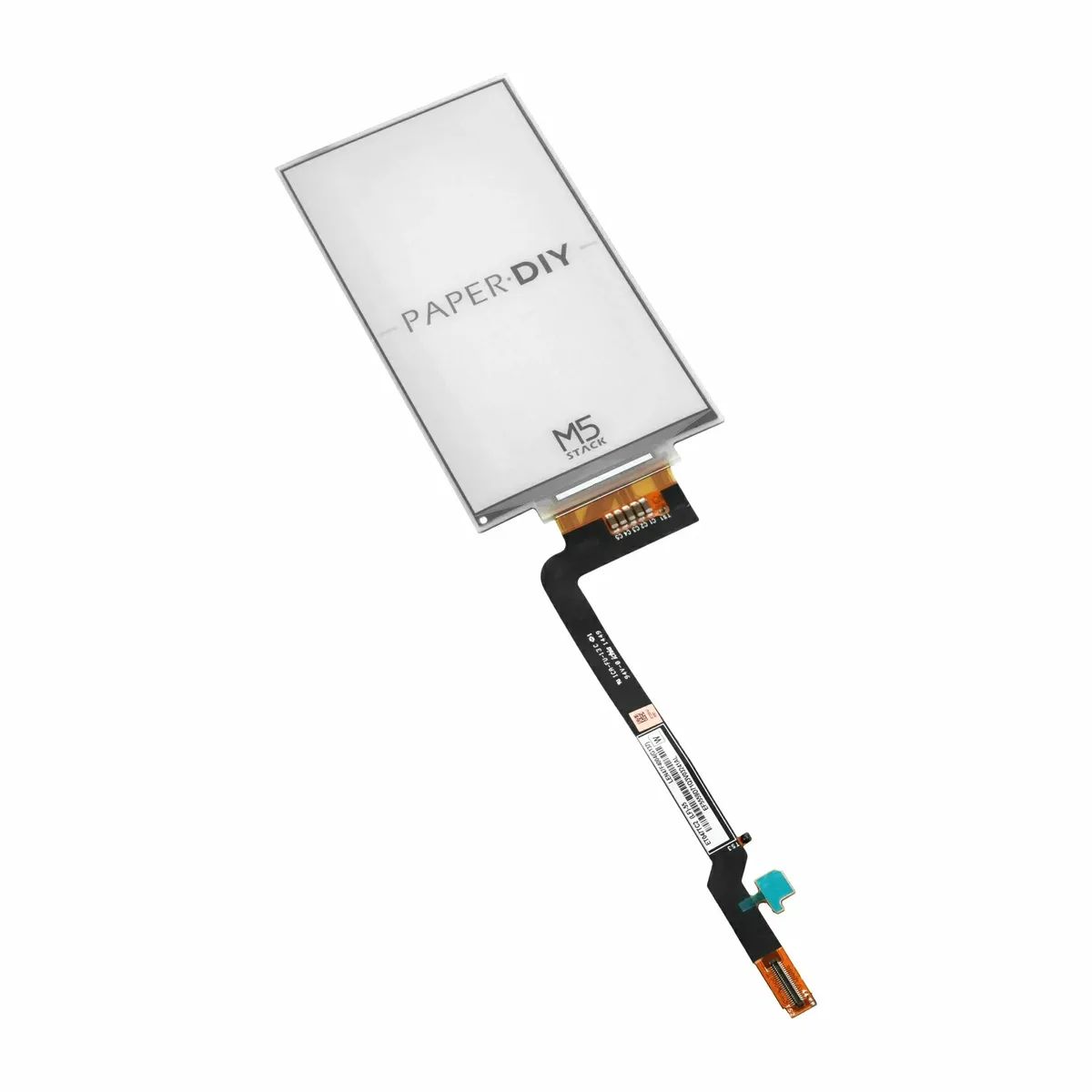
PaperDIY assembly kit with 4.7-inch e-paper display
- Operating Temperature
- 0 ~ 40°C
- Expansion Interface
- 2x FPC 0.5mm-12P
- Expansion Storage
- microSD
- Flash
- 16MB
PaperDIY assembly kit with 4.7-inch e-paper display
Maker, Prototyping, Open-Hardware & Developer Boards
The M5Stack K159 PaperDIY is a user-assembled e-paper development board with a 4.7-inch display and an ESP32-S3 microcontroller for DIY projects and prototyping.
Overview. The M5Stack K159 is a user-assembled e-paper development kit including a main control board, an e-paper display and a 140mAh lithium battery. Hardware assembly is completed by the user.
Main characteristics. The control board uses an ESP32-S3R8 core, a dual-core Xtensa 32-bit LX7 processor running at 240 MHz, with 16MB Flash and 8MB Octal PSRAM. The 4.7-inch e-paper display offers a 960×540 resolution and supports 16-level grayscale. This screen does not support touch.
Interfaces and connectivity. The kit provides 2.4 GHz Wi-Fi, a USB Type-C port, a microSD slot, two user buttons and a power button, plus two 0.5mm 12-pin FPC expansion interfaces. An SH1.0-2P connector is provided for the battery.
Power and environment. The 3.7V, 140mAh battery connects to the board, which also has a 5V pad. Power management is handled by an M5PM1 module. Operating temperature: 0 to 40 °C.
Typical uses. Desktop information displays, electronic labels, custom signage, DIY projects and embedded hardware development experiments. The open structure allows users to design their own supports and enclosures.
Integration. Sold on quotation from Atlas Electronics.
No published question about this part yet. Questions are reviewed before publication.
Every characteristic recorded for K159, with where it comes from. Use the filters to find one quickly.
| Characteristic | Value |
|---|---|
| Assembly Type | User assembles by themselves, open structure |
| Battery | Capacity: 140mAh; Connector: SH1.0-2P |
| Button | 1x Power Button (ON / OFF / RESET / BOOT) + 2x User Button |
| ESP32-S3R8 core | 16MB Flash |
| Expansion Interface | 2x FPC 0.5mm-12P |
| Expansion Storage | microSD |
| Flash | 16MB |
| Gross weight | 50.0g |
| Main Control / Memory | ESP32-S3R8, 16MB Flash + 8MB PSRAM |
| Operating Temperature | 0 ~ 40°C |
| Package contents | E-paper display + main control board + 140mAh battery + acrylic screen pressure plate |
| Package Size | 137.0 x 78.0 x 19.0mm |
| Power Management | M5PM1 |
| Power supply | 3.7V battery, USB Type-C (DC 5V), 5V pad |
| Product Size | 115.3 x 62.5 x 5.5mm |
| Product Weight | 26.4g |
| PSRAM | 8MB Octal |
| SOC | ESP32-S3-WROOM-1-N16R8 @ Xtensa® 32-bit LX7 dual-core processor, 240MHz |
| Wi-Fi | 2.4 GHz Wi-Fi |
No specification matches.
Last verification : 2026-11-02
Official documents and the technical data recorded for K159. For a missing document or a specific revision, our experts send it to you.
The M5Stack K159 PaperDIY is a user-assembled e-paper development board with a 4.7-inch display and an ESP32-S3 microcontroller for DIY projects and prototyping.
| Parameter | Value |
|---|---|
| Assembly Type | User assembles by themselves, open structure |
| Battery | Capacity: 140mAh; Connector: SH1.0-2P |
| Button | 1x Power Button (ON / OFF / RESET / BOOT) + 2x User Button |
| ESP32-S3R8 core | 16MB Flash |
| Expansion Interface | 2x FPC 0.5mm-12P |
| Expansion Storage | microSD |
| Flash | 16MB |
| Gross weight | 50.0g |
| Main Control / Memory | ESP32-S3R8, 16MB Flash + 8MB PSRAM |
| Operating Temperature | 0 ~ 40°C |
| Package contents | E-paper display + main control board + 140mAh battery + acrylic screen pressure plate |
| Package Size | 137.0 x 78.0 x 19.0mm |
| Power Management | M5PM1 |
| Power supply | 3.7V battery, USB Type-C (DC 5V), 5V pad |
| Product Size | 115.3 x 62.5 x 5.5mm |
| Product Weight | 26.4g |
| PSRAM | 8MB Octal |
| SOC | ESP32-S3-WROOM-1-N16R8 @ Xtensa® 32-bit LX7 dual-core processor, 240MHz |
| Wi-Fi | 2.4 GHz Wi-Fi |
Points to check before using K159 in a design. They are derived from the recorded characteristics, not from the manufacturer's application circuits.
| Battery | Capacity: 140mAh; Connector: SH1.0-2P |
| Power Management | M5PM1 |
| Power supply | 3.7V battery, USB Type-C (DC 5V), 5V pad |
Check the exact pin assignment and the application circuit in the datasheet, or ask our experts.
Answers to the questions that the recorded characteristics of K159 can answer. A question is not asked when nothing is recorded to answer it.
Yes — recorded under "Wi-Fi": 2.4 GHz Wi-Fi.
Yes — recorded under "Product Weight": 26.4g.
Yes — recorded under "Power supply": 3.7V battery, USB Type-C (DC 5V), 5V pad.
0 ~ 40°C (source: Operating Temperature).
Similar parts to answer your needs. Compare the main characteristics. A recorded replacement is a documented relation; a similar product is a similarity only, never a compatibility claim.
PaperDIY assembly kit with 4.7-inch e-paper display
Sensor Adapter for Click, QWIIC and Grove Modules
RS485 Module 3PEAK TP8485E

4-20mA Module STMicroelectronics LM2902

Describe your application and constraints in a request.
What is recorded about the regulatory status and the life of this part.
No compliance statement is recorded for this part. Ask the supplier for the RoHS and REACH declarations and, for a radio product, the EU declaration of conformity.
| Current status | Status not stated |
| Key dates | Not recorded |
| Manufacturer part number | K159 |
| Manufacturer | M5Stack |
Maker, Prototyping, Open-Hardware & Developer Boards
M12 fisheye lens for camera module · Ref. : M12_FISHEYE
Price on request
Maker, Prototyping, Open-Hardware & Developer Boards
RK3568 System-on-Module with 1 TOPS NPU
Price on request
Maker, Prototyping, Open-Hardware & Developer Boards
Dual Gigabit Ethernet Carrier Board for Raspberry Pi Compute Module 4
Price on request
Maker, Prototyping, Open-Hardware & Developer Boards
RK3568 Android tablet mainboard with DTV tuner · Ref. : K3-3568
Price on request
No advertising or analytics cookies. A single, strictly necessary cookie is set only if you sign in to your account. Your quote basket and comparison stay in your browser. Details