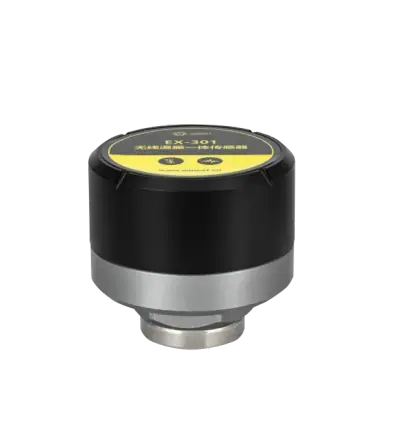
Temperature & Humidity Sensor
Monitoring with Reliable Data in Real-Time
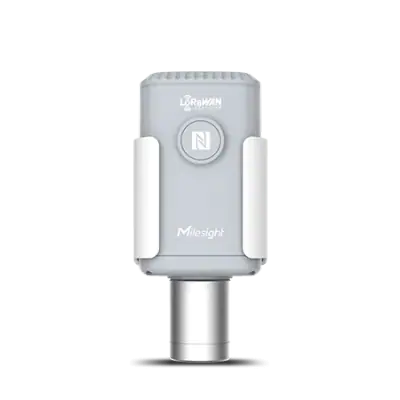
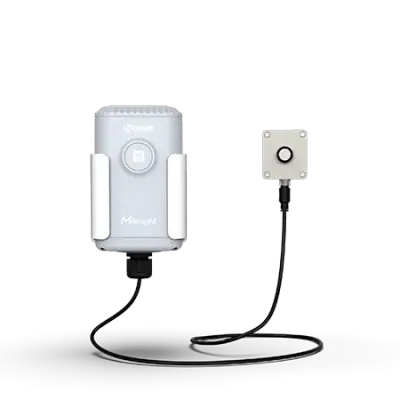
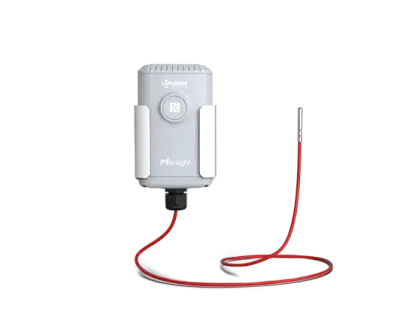
EM300-TH
IP67 Rated and UV Resistance
Support Retransmission for Reliable Communication
Up to 10 Years Battery Life
Detect Temperature and Humidity with Higher Accuracy
Store Capacity with 2,800 Sets of Historical Data Records
Certified for EN12830 Standard
FEATURES
MODELS
DOWNLOAD
Home
IoT LoRaWAN® Series
EM300-TH
Industry-Proven Temperature & Humidity Sensor
EM300-TH is suitable for indoor and outdoor temperature and humidity monitoring. It can be widely used in office areas, greenhouses and other environments.
Industrial Grade Design for Harsh Environment
IP67 Enclosure for Dust and Water Ingress
UV Resistance
Multi-Year Battery Operation
1 × ER18505 4000 mAh Li-SOCL 2 ensure more than 5 years' service life.
Available for over 10 years (Dual Battery Holders, One Battery by Default)
Support Retransmission for
Reliable Communication
With support for data retransmission,the device guarantees that the web server gets all the data even if the network is down occasionally.
Store Capacity with 2,800 Sets of Historical Data Records
Data can be stored in the device and cannot be manually deleted, further securing the traceability of the reported information.
LoRaWAN® Based
Penetrating Signals: data transmission range up to 2 km in urban areas and 15 km in rural areas
High Compatibility: compliant with standard LoRaWAN® gateways and network servers
Milesight Development Platform
Application Integration and Development
Milesight Development Platform simplifies device deployment and management and offers RESTful APIs for data interchange, webhooks to trigger external actions, centralized management of applications, and comprehensive documentation for crafting custom IoT solutions, helping system integrators and solution providers jump-start IoT projects.
Learn More
Cloud Data Management
Milesight IoT Cloud
Data Visualization Dashboard:
All figures in a glance
Automatic Triggers:
Interactive collaboration with Milesight IoT sensors
to realize scene-based automation
Regular Reports & Real-Time Alerts:
Data-based insights
Android & iOS App:
Manage devices at your fingertips
NFC Configuration
Switching On/Off & Configuring the Devices Wirelessly
1 Step
Install the
Milesight ToolBox
2 Step
Enable NFC and run ToolBox,
then attach your phone to the device
3 Step
Verify the password
and start configuring
Explore More About NFC Configuration >>
Installation in Better Ways
Related Products
UC100
IoT Controller
EM320-TH
Temperature & Humidity Sensor
UG65
Indoor LoRaWAN® Gateway
Specifications
EM300-TH
* Tested under laboratory conditions and for guideline purposes only.
Documents
EM300-TH Datasheet EM300-TH User Guide Payload Decoder
*Your Email
*Country
*State
*Your Phone
*Company
*Your Website
*Business Type
End User Installer Reseller System Integrator Distributor Consultant Managed Service Provider
*Which area are you interested in?
Video Surveillance Road Traffic Parking Smart Buildings Smart Retail Industrial Routers Other IoT Solutions
*Message
*Verification Code
Let's Talk