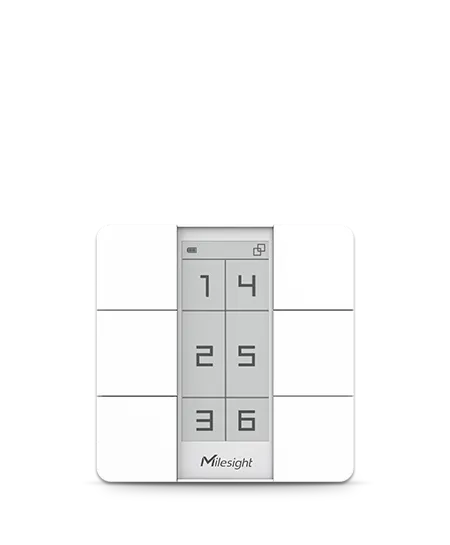
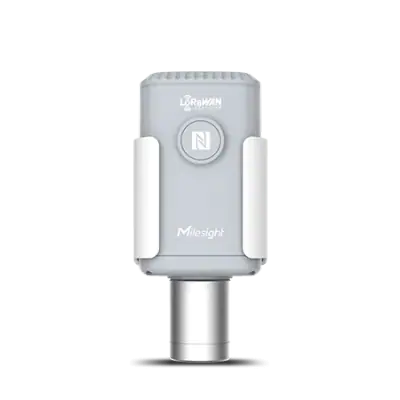
The Milesight IoT WS156 is a 6-button LoRaWAN scene panel that triggers predefined ambiences and controls Milesight sensors, with a customizable 2.9-inch e-ink display.
Android & iOS AppManage devices at your fingertips
AntennaInternal Antenna
Button LightBlue
Color & MaterialWhite, PC + ABS (Flame-retardant)
Product overview
Overview. The Milesight IoT WS156 is a LoRaWAN scene panel, an environmental sensor node. It has six scene buttons for quickly switching between predefined ambiences and a customizable 2.9-inch black and white e-ink screen with 128 × 296 pixels.
Main characteristics. The product measures 86 × 86 × 14 mm and weighs 90 g with batteries. It is powered by 2 × 590 mAh CR2450 lithium coin cells, with a stated battery life of over 3 years at a 1080-minute interval and 20 presses per day at 25°C. An internal reset button, an LED indicator and an internal antenna are included. Sensitivity is -137 dBm and Tx power is 16 dBm at 868 MHz, 22 dBm at 915 MHz and 19 dBm at 470 MHz.
Interfaces and connectivity. The WS156 operates over LoRaWAN® with Milesight D2D technology, in OTAA/ABP Class A mode. It supports the CN470/RU864/IN865/EU868/US915/AU915/KR920/AS923-1&2&3&4 frequency bands and is compliant with standard LoRaWAN® gateways and network servers. Data transmission range reaches up to 2 km in urban areas and 15 km in rural areas. Configuration is done via the mobile app through NFC or downlink.
Power and environment. It operates from -10°C to +50°C, the e-ink screen from 0°C to 50°C, with relative humidity of 90% or less, non-condensing. Its ingress protection rating is IP30, it is RoHS compliant and certified CE, FCC and LoRaWAN® Certified.
Typical uses and integration. The panel can be installed on a desktop, with 3M tape or in an 86 box. Through interaction with Milesight sensors it enables scene-based automation, and the Android and iOS app provides regular reports, real-time alerts and a data visualization dashboard.
Official documents and the technical data recorded for WS156. For a missing document or a specific revision, our experts send it to you.
1. Technical overview
The Milesight IoT WS156 is a 6-button LoRaWAN scene panel that triggers predefined ambiences and controls Milesight sensors, with a customizable 2.9-inch e-ink display.
Check the exact pin assignment and the application circuit in the datasheet, or ask our experts.
Implementation checklist
Thermal : rated operating range -10°C ~ +50°C (E-Ink Screen: 0°C ~ 50°C) — check it against the installation environment.
Applications and use cases
Architectures in which WS156 can play a role, derived from its category. This is not a compatibility statement: check the specifications against your requirements.
Diseases and water stress are noticed once the crop is already affected. A weather station, soil probes and sensor nodes in the field report conditions through an outdoor gateway
To check
Crops, plots and measurement depth of the soil probes
A LoRaWAN project needs sensors, gateways, a network server and an application that work together. Sensor nodes report to indoor or outdoor gateways, which forward the data to the network server and the customer’s platform
To check
Regional frequency plan (EU868, US915 and others)
Network server: public, private or embedded in the gateway
Milesight sensors, LoRaWAN gateways and cellular routers can be brought together on the Milesight Development Platform, which manages the devices and passes their data to other applications through an API and webhooks
To check
Development Platform for device management, API and webhooks, or another network server and application
Devices provisioned through Milesight RPS must have that provisioning removed before being added to the Development Platform
Data flows to the customer’s own application through webhooks
RAKwireless WisGate gateways run WisGateOS 2 and are managed from WisDM, RAKwireless’ cloud device management platform with a built-in network server, alongside RAK sensor nodes, radio modules and concentrators
To check
WisDM built-in network server, or a third-party one (ChirpStack, TTN/TTS, AWS IoT Core, Actility)
Remote configuration and updates of the gateways from WisDM
Regional frequency plan of the gateways and nodes
Associated system blocks
GatewaysSensors and modulesDevelopment boardsMounting
Seeed SenseCAP sensors connect to Seeed’s SenseCAP cloud platform and app, and Seeed edge computers, camera modules, Grove and XIAO boards complete the chain for custom devices and local processing
To check
SenseCAP cloud platform and app, or the customer’s own network server
Prototype on Grove and XIAO, then move to industrial versions
Local processing on the edge computers or in the cloud
Associated system blocks
SensorsEdge computingDevelopment boards
Need a complete solution?
Send a request for WS156 and the other parts of your project.
Similar parts to answer your needs. Compare the main characteristics. A recorded replacement is a documented relation; a similar product is a similarity only, never a compatibility claim.
What is recorded about the regulatory status and the life of this part.
Regulatory compliance
No compliance statement is recorded for this part. Ask the supplier for the RoHS and REACH declarations and, for a radio product, the EU declaration of conformity.
No advertising or analytics cookies. A single, strictly necessary cookie is set only if you sign in to your account. Your quote basket and comparison stay in your browser. Details