LoRaWAN® Sound Level Sensor
Sound Awareness for Peaceful Surroundings
CoWork Series
WS302
Accurate Sound Level Measurement
LED Alarm Indicator
1.5~4 Years Battery Life
Easy Configuration via NFC
FEATURES
MODELS
DOWNLOAD
Home
IoT LoRaWAN® Series
WS302
Fight Against Uncomfortable Noise
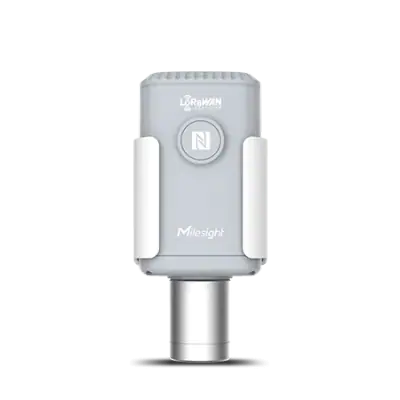
WS302 is a LoRaWAN®-enabled sound level sensor that is designed to measure and monitor sound levels in various environments.
Monitor Sound Level
with Ease
WS302 is an advanced LoRaWAN® Sensor for monitoring noise/sound level in decibels (dB) with ease.
30 to 120 dBA Measurement Range
± 3 dB Accuracy; 0.1 dB Resolution
Weighting, C-Weighting & Fast-Time Weighting
Measurement Unit: SPL Actual, Leq, and Lmax
A & C Weighting as Needed
Choose A-weighting or C-weighting based on scenarios. Usually, A-weighting is appropriate for quiet environments while C-weighting is for noisy environments.
Fast-Time Weighting
Fast-time weighting uses a time constant of 125 milliseconds for measuring unstable noise with large fluctuations.
Fast weighting is turned off by default. When turned on, battery life will be shortened.
More Sound Levels for
More Insight
Support reporting of three sound level values (maximum sound level, sound pressure level, and equivalent continuous sound level) based on different weighting methods.
Dainty as Always
Blend into any Interiors
Fight Against Uncomfortable Noise
Minimalistic and modern design makes it ideal for classrooms, workplaces, hotels, hospitals, etc. WS302 is an unnoticed guard for eliminating noise pollution.
LoRaWAN® Based
Penetrating Signals: data transmission range up to 2 km in urban areas and
15 km in rural areas
High Compatibility: compliant with standard LoRaWAN® gateways and network servers
Stay Powered Up for Longer
WS302 offers over 4 years of service life without the need for battery replacement.
Cloud Data Management
Milesight IoT Cloud
Data Visualization Dashboard:
All figures in a glance
Automatic Triggers:
Interactive collaboration with Milesight IoT sensors
to realize scene-based automation
Regular Reports & Real-Time Alerts:
Data-based insights
Android & iOS App:
Manage devices at your fingertips
NFC Configuration
Switching On/Off & Configuring the Devices Wirelessly
1 Step
Install the
Milesight ToolBox
2 Step
Enable NFC and run ToolBox,
then attach your phone to the device
3 Step
Verify the password
and start configuring
Explore More About NFC Configuration >>
Installation
Screw Mounting
Double-Sided Tape Mounting
Related Products
WS101
Smart Button
WS202
PIR & Light Sensor
WS156
Smart Scene Panel
Specifications
ws302
* Tested under laboratory conditions and for guideline purposes only.
Documents
WS302 Datasheet
WS302 User Guide
Payload Decoder
*Your Email
*Country
*State
*Your Phone
*Company
*Your Website
*Business Type
End User Installer Reseller System Integrator Distributor Consultant Managed Service Provider
*Which area are you interested in?
Video Surveillance Road Traffic Parking Smart Buildings Smart Retail Industrial Routers Other IoT Solutions
*Message
*Verification Code
Let's Talk