5_DESKTOP
Debian Desktop Operating System for Development Board
Limited record: this part has neither specifications nor a datasheet in the catalog yet. It is shown for reference and is not indexed.
Debian Desktop Operating System for Development Board
Maker, Prototyping, Open-Hardware & Developer Boards
Usage guide for the default Debian desktop system of the Sipeed LicheePi 4A development board, covering login, network connection and Bluetooth devices.
Overview. This Sipeed document describes basic usage of the default Debian desktop system of the LicheePi 4A board, which displays a graphical user interface when connected to a monitor.
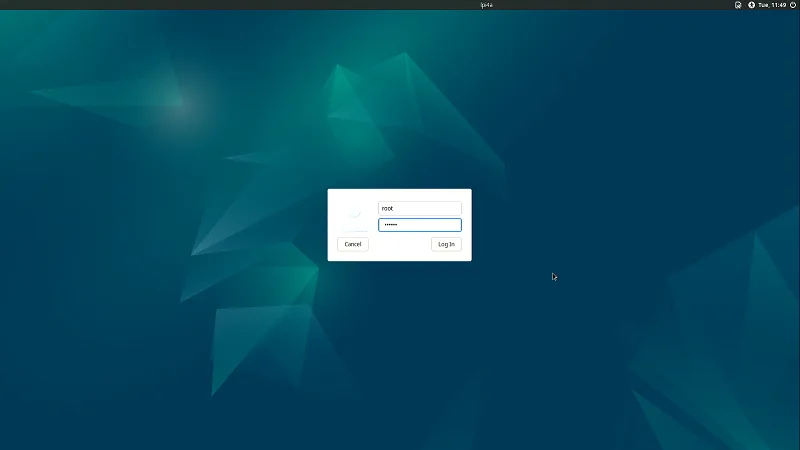
System login. Three users are provided (root, debian and sipeed), with an initial password given by the manufacturer. Starting from version 0714, the image enables automatic login with the user sipeed and passwordless sudo. The shortcut Ctrl + Alt + T opens a command line terminal directly.
Network. The board has two gigabit network interfaces for wired networking, plus an onboard wireless module supporting Wi-Fi and Bluetooth. Wi-Fi is connected from the status bar by selecting wlan0 as the Wi-Fi adapter.
Bluetooth. Bluetooth keyboards, mice or headphones connect from the graphical interface or with the bluetoothctl command, once the device is in pairing mode.
Typical uses. This system suits prototyping and development programs on the LicheePi 4A board, with access to wired and wireless networks and Bluetooth peripherals.
No published question about this part yet. Questions are reviewed before publication.
Official documents and the technical data recorded for 5_DESKTOP. For a missing document or a specific revision, our experts send it to you.
Usage guide for the default Debian desktop system of the Sipeed LicheePi 4A development board, covering login, network connection and Bluetooth devices.
Similar parts to answer your needs. Compare the main characteristics. A recorded replacement is a documented relation; a similar product is a similarity only, never a compatibility claim.
Debian Desktop Operating System for Development Board
Sensor Adapter for Click, QWIIC and Grove Modules
RS485 Module 3PEAK TP8485E

4-20mA Module STMicroelectronics LM2902

Describe your application and constraints in a request.
What is recorded about the regulatory status and the life of this part.
No compliance statement is recorded for this part. Ask the supplier for the RoHS and REACH declarations and, for a radio product, the EU declaration of conformity.
| Current status | Status not stated |
| Key dates | Not recorded |
| Manufacturer part number | 5_DESKTOP |
| Manufacturer | Sipeed |
Maker, Prototyping, Open-Hardware & Developer Boards
M12 fisheye lens for camera module · Ref. : M12_FISHEYE
Price on request
Maker, Prototyping, Open-Hardware & Developer Boards
RK3568 System-on-Module with 1 TOPS NPU
Price on request
Maker, Prototyping, Open-Hardware & Developer Boards
RK3568 Android tablet mainboard with DTV tuner · Ref. : K3-3568
Price on request
Maker, Prototyping, Open-Hardware & Developer Boards
Boost converter module 3.3 V to 12 V 50 mA · Ref. : 110155
Price on request
No advertising or analytics cookies. A single, strictly necessary cookie is set only if you sign in to your account. Your quote basket and comparison stay in your browser. Details