K3S
Deployment
Limited record: this part has neither specifications nor a datasheet in the catalog yet. It is shown for reference and is not indexed.
Deployment
Maker, Prototyping, Open-Hardware & Developer Boards
Sipeed K3s, listed under “Maker, Prototyping, Open-Hardware & Developer Boards”.
K3s Deployment
Edit this page
Introduction
K3s is a lightweight version of Kubernetes. It is easy to install and requires only half the memory of Kubernetes, making it suitable for resource-constrained environments, especially for use cases like edge computing, IoT, and others.
Deployment Guide
Prepare the Environment
First, ensure that the network of the cluster is working correctly and that it can access the internet. You can SSH into each machine in the cluster to execute the subsequent installation commands. Make sure that the IP addresses of the master node and worker nodes are fixed, and that they can access each other over the network.
Install K3s (Master Node)
The installation of K3s is very simple. Just run the following command on the master node:
curl -sfL | sh -
If the download is slow, you can speed up the installation by using the following command:
curl -sfL | INSTALL_K3S_MIRROR=cn sh -
This command will automatically download and install K3s. After the installation is complete, check if the K3s service is running with the following command:
sudo systemctl status k3s
If it shows active (running), K3s has started successfully.
sudo systemctl status k3s ● k3s.service - Lightweight Kubernetes Loaded: loaded (/etc/systemd/system/k3s.service; enabled; preset: enabled) Active: active (running) since Mon 2025-02-17 12:07:15 CST; 3h 38min ago Docs: Process: 8803 ExecStartPre=/bin/sh -xc! /usr/bin/systemctl is-enabled --quiet nm-cloud-setup.service 2>/dev/null (code=exited, status=0/SUCCESS) Process: 8805 ExecStartPre=/sbin/modprobe br_netfilter (code=exited, status=0/SUCCESS) Process: 8808 ExecStartPre=/sbin/modprobe overlay (code=exited, status=0/SUCCESS) Main PID: 8810 (k3s-server) Tasks: 32 Memory: 583.2M CPU: 29min 49.755s CGroup: /system.slice/k3s.service ├─8810 "/usr/local/bin/k3s server" └─8895 "containerd "
Install K3s (Worker Nodes)
When installing K3s on the worker nodes, you need to connect them to the master node. Run the following command on the worker node to install K3s:
curl -sfL | K3S_URL= K3S_TOKEN=<MasterNodeToken> sh -
In the command above, replace 主节点IP with the master node's IP address, and MasterNodeIP with the token obtained from the master node. You can retrieve the token by running the following command on the master node:
sudo cat /var/lib/rancher/k3s/server/node-token
After installation is complete, verify that the worker node has successfully joined the cluster by running:
sudo kubectl get nodes
If the worker node appears in the list with a status of Ready, it means the worker node has successfully joined the cluster.
sipeed@lpi3h-a2d1:~$ sudo kubectl get nodes NAME STATUS ROLES AGE VERSION lpi3h-1967 Ready <none> 20h v1.31.5+k3s1 lpi3h-231e Ready <none> 20h v1.31.5+k3s1 lpi3h-4782 Ready <none> 56m v1.31.5+k3s1 lpi3h-a2d1 Ready control-plane,master 23h v1.31.5+k3s1 lpi3h-ba13 Ready <none> 19h v1.31.5+k3s1 lpi3h-c06b Ready <none> 21h v1.31.5+k3s1
Deploy an Application
We will create a configuration file to run a K3s container.
nano hello-kubernetes.yaml
The file content is as follows:
apiVersion: apps/v1 kind: Deployment metadata: name: hello-kubernetes spec: replicas: 1 selector: matchLabels: app: hello-kubernetes template: metadata: labels: app: hello-kubernetes spec: containers: - name: hello-kubernetes image: paulbouwer/hello-kubernetes:1.10.1 env: - name: MESSAGE value: "Hello Kubernetes"
Then, use this configuration file to start a container:
sudo kubectl apply -f hello-kubernetes.yaml
Check the status of the pods:
sudo kubectl get pods -o wide NAME READY STATUS RESTARTS AGE IP NODE NOMINATED NODE READINESS GATES hello-kubernetes-7fbb7f4899-zqs5x 1/1 Running 0 2m39s 10.42.0.114 arch <none> <none>
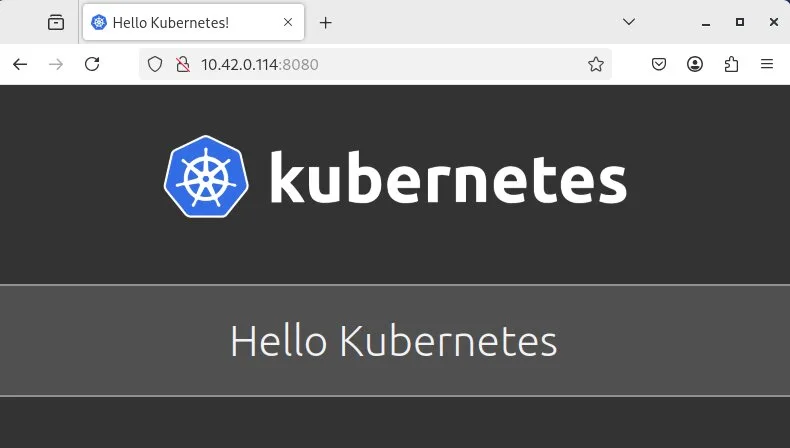
Finally, access the application via a browser at 10.42.0.114:8080
Quick Start
distcc Deployment
links Sipeed
MaixHub
Sipeed AliExpress
Build by teedoc
Source Code Wiki source
Open Source Projects
Follow us twitter
AliExpress
github
Join us
©2018-2023 深圳矽速科技有限公司
粤ICP备19015433号
No published question about this part yet. Questions are reviewed before publication.
Official documents and the technical data recorded for K3S. For a missing document or a specific revision, our experts send it to you.
Sipeed K3s, listed under “Maker, Prototyping, Open-Hardware & Developer Boards”.
Similar parts to answer your needs. Compare the main characteristics. A recorded replacement is a documented relation; a similar product is a similarity only, never a compatibility claim.
Deployment
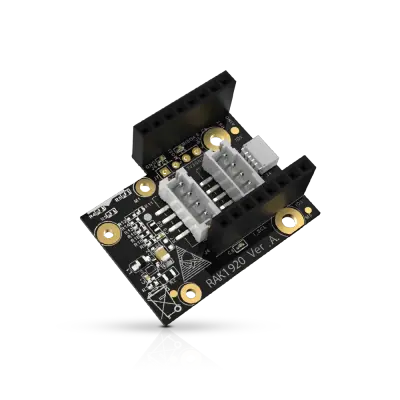
Sensor Adapter for Click, QWIIC and Grove Modules
RS485 Module 3PEAK TP8485E

4-20mA Module STMicroelectronics LM2902

Describe your application and constraints in a request.
What is recorded about the regulatory status and the life of this part.
No compliance statement is recorded for this part. Ask the supplier for the RoHS and REACH declarations and, for a radio product, the EU declaration of conformity.
| Current status | Status not stated |
| Key dates | Not recorded |
| Manufacturer part number | K3S |
| Manufacturer | Sipeed |
Maker, Prototyping, Open-Hardware & Developer Boards
M12 fisheye lens for camera module · Ref. : M12_FISHEYE
Price on request
Maker, Prototyping, Open-Hardware & Developer Boards
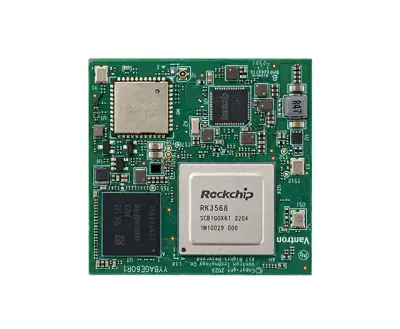
RK3568 System-on-Module with 1 TOPS NPU
Price on request
Maker, Prototyping, Open-Hardware & Developer Boards
RK3568 Android tablet mainboard with DTV tuner · Ref. : K3-3568
Price on request
Maker, Prototyping, Open-Hardware & Developer Boards
Boost converter module 3.3 V to 12 V 50 mA · Ref. : 110155
Price on request
No advertising or analytics cookies. A single, strictly necessary cookie is set only if you sign in to your account. Your quote basket and comparison stay in your browser. Details