SIPEED_REMOTE_NETWORK
Sipeed Remote Network Tailscale client

- Android
- Install from Google Play or F-Droid
- iOS / iPadOS
- Install from the App Store
- Platform
- Installation method
Sipeed Remote Network Tailscale client
Maker, Prototyping, Open-Hardware & Developer Boards
Sipeed Remote Network for NanoKVM Go, linking the device directly to a computer or phone through the Tailscale client, without a Tailscale account.
Sipeed Remote Network. The Sipeed Remote Network is a virtual private network provided by Sipeed for remote access to NanoKVM Go. Devices connect directly to each other without relaying traffic through the server, and the client device uses the Tailscale client.
Main characteristics. No Tailscale account is required: the client only needs its control server pointed to Sipeed's address. Once enabled, the device shows its name (for example kvm-9e13) and a virtual IP address in the 100.x.x.x range.
Connectivity and installation. The Tailscale client installs on Android from Google Play or F-Droid, on iOS and iPadOS from the App Store, and on macOS following the Tailscale for macOS installation guide. On Android, https://control.tailnet.sipeed.com is entered in the Custom control server URL field.
Prerequisites. NanoKVM Go must be connected to the Internet, accessible from the local network, and its system and application must be up to date. Connection details such as the device identifier, device name and virtual IP address are sent to Sipeed's servers, located in mainland China.
No published question about this part yet. Questions are reviewed before publication.
Every characteristic recorded for SIPEED_REMOTE_NETWORK, with where it comes from. Use the filters to find one quickly.
| Characteristic | Value |
|---|---|
| Android | Install from Google Play or F-Droid |
| Enter https | //control.tailnet.sipeed.com in Custom control server URL and tap Add account; |
| iOS / iPadOS | Install from the App Store |
| macOS | Follow the Tailscale for macOS installation guide to install it from the website or App Store |
| Platform | Installation method |
No specification matches.
Last verification : 2026-11-03
Official documents and the technical data recorded for SIPEED_REMOTE_NETWORK. For a missing document or a specific revision, our experts send it to you.
Sipeed Remote Network for NanoKVM Go, linking the device directly to a computer or phone through the Tailscale client, without a Tailscale account.
| Parameter | Value |
|---|---|
| Android | Install from Google Play or F-Droid |
| Enter https | //control.tailnet.sipeed.com in Custom control server URL and tap Add account; |
| iOS / iPadOS | Install from the App Store |
| macOS | Follow the Tailscale for macOS installation guide to install it from the website or App Store |
| Platform | Installation method |
Similar parts to answer your needs. Compare the main characteristics. A recorded replacement is a documented relation; a similar product is a similarity only, never a compatibility claim.
Sipeed Remote Network Tailscale client
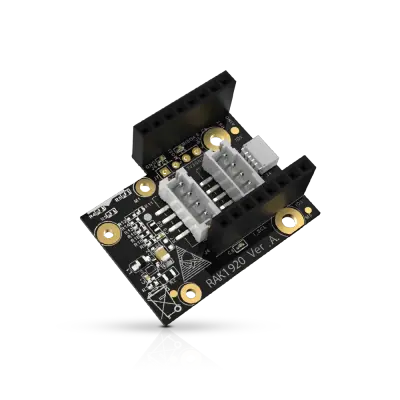
Sensor Adapter for Click, QWIIC and Grove Modules
RS485 Module 3PEAK TP8485E

4-20mA Module STMicroelectronics LM2902

Describe your application and constraints in a request.
What is recorded about the regulatory status and the life of this part.
No compliance statement is recorded for this part. Ask the supplier for the RoHS and REACH declarations and, for a radio product, the EU declaration of conformity.
| Current status | Status not stated |
| Key dates | Not recorded |
| Manufacturer part number | SIPEED_REMOTE_NETWORK |
| Manufacturer | Sipeed |
Maker, Prototyping, Open-Hardware & Developer Boards
M12 fisheye lens for camera module · Ref. : M12_FISHEYE
Price on request
Maker, Prototyping, Open-Hardware & Developer Boards
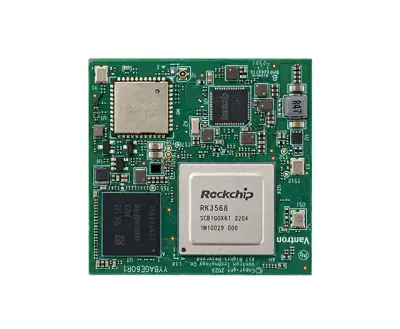
RK3568 System-on-Module with 1 TOPS NPU
Price on request
Maker, Prototyping, Open-Hardware & Developer Boards
Dual Gigabit Ethernet Carrier Board for Raspberry Pi Compute Module 4
Price on request
Maker, Prototyping, Open-Hardware & Developer Boards
RK3568 Android tablet mainboard with DTV tuner · Ref. : K3-3568
Price on request
No advertising or analytics cookies. A single, strictly necessary cookie is set only if you sign in to your account. Your quote basket and comparison stay in your browser. Details