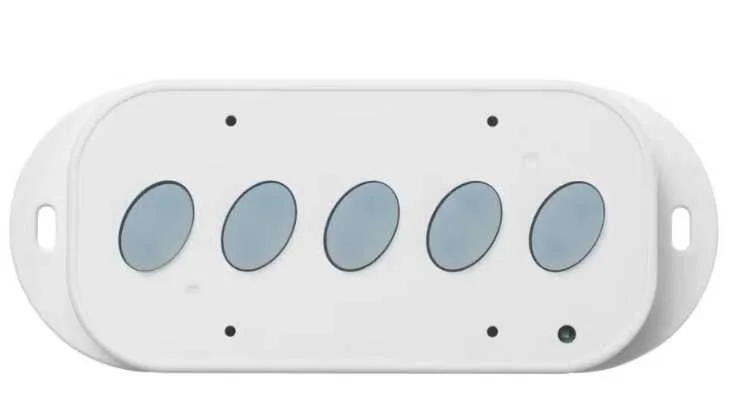
The Dragino PB05-L is a 5-button LoRaWAN push button that sends each press to an IoT server. It is designed for smart buildings, logistics and smart factory applications.
Product overview
Overview. The Dragino PB05-L is a LoRaWAN push button from Dragino with 5 buttons. When a button is pressed, the device sends a signal to the IoT server using the LoRaWAN protocol. It is fully compatible with LoRaWAN v1.0.3 and works with any standard LoRaWAN gateway.
Main characteristics. The wall-mountable device has a built-in speaker that plays different sounds when a button is pressed or when a response is received from the server, and the speaker can be turned off. It supports the LoRaWAN v1.0.3 Class A protocol and remote parameter configuration via LoRaWAN downlink, as well as AT commands. Firmware can be upgraded via the programming port.
Frequency bands and power. Available frequency bands are CN470, EU433, KR920, US915, EU868, AS923 and AU915. The device runs on 2 × AA LR6 batteries, with a consumption of 5 µA idle and a maximum of 110 mA when transmitting. Storage and operating temperature is -10 to 50 °C, or -40 to 60 °C depending on the battery type. The protection rating is IP20.
Typical uses. The PB05-L fits smart buildings and home automation, logistics and supply chain management, smart metering, smart agriculture, smart cities and smart factory applications.
Integration. Settings can be changed through AT commands or LoRaWAN downlink, allowing the device to be configured remotely from the network server.
No published question about this part yet. Questions are reviewed before publication.
Complete specifications
Every characteristic recorded for PB05-L, with where it comes from. Use the filters to find one quickly.
All specifications (3)
Characteristic
Value
Frequency Bands
CN470, EU433, KR920, US915, EU868, AS923, AU915
Idle
5 µA
Transmit
Max 110 mA
No specification matches.
Last verification : 2026-10-31
Technical documentation
Official documents and the technical data recorded for PB05-L. For a missing document or a specific revision, our experts send it to you.
1. Technical overview
The Dragino PB05-L is a 5-button LoRaWAN push button that sends each press to an IoT server. It is designed for smart buildings, logistics and smart factory applications.
Idle5 µA
TransmitMax 110 mA
2. Datasheet extract (recorded values)
Parameter
Value
Frequency Bands
CN470, EU433, KR920, US915, EU868, AS923, AU915
Idle
5 µA
Transmit
Max 110 mA
Applications and use cases
Architectures in which PB05-L can play a role, derived from its category. This is not a compatibility statement: check the specifications against your requirements.
Diseases and water stress are noticed once the crop is already affected. A weather station, soil probes and sensor nodes in the field report conditions through an outdoor gateway
To check
Crops, plots and measurement depth of the soil probes
A LoRaWAN project needs sensors, gateways, a network server and an application that work together. Sensor nodes report to indoor or outdoor gateways, which forward the data to the network server and the customer’s platform
To check
Regional frequency plan (EU868, US915 and others)
Network server: public, private or embedded in the gateway
Milesight sensors, LoRaWAN gateways and cellular routers can be brought together on the Milesight Development Platform, which manages the devices and passes their data to other applications through an API and webhooks
To check
Development Platform for device management, API and webhooks, or another network server and application
Devices provisioned through Milesight RPS must have that provisioning removed before being added to the Development Platform
Data flows to the customer’s own application through webhooks
RAKwireless WisGate gateways run WisGateOS 2 and are managed from WisDM, RAKwireless’ cloud device management platform with a built-in network server, alongside RAK sensor nodes, radio modules and concentrators
To check
WisDM built-in network server, or a third-party one (ChirpStack, TTN/TTS, AWS IoT Core, Actility)
Remote configuration and updates of the gateways from WisDM
Regional frequency plan of the gateways and nodes
Associated system blocks
GatewaysSensors and modulesDevelopment boardsMounting
Seeed SenseCAP sensors connect to Seeed’s SenseCAP cloud platform and app, and Seeed edge computers, camera modules, Grove and XIAO boards complete the chain for custom devices and local processing
To check
SenseCAP cloud platform and app, or the customer’s own network server
Prototype on Grove and XIAO, then move to industrial versions
Local processing on the edge computers or in the cloud
Associated system blocks
SensorsEdge computingDevelopment boards
Need a complete solution?
Send a request for PB05-L and the other parts of your project.
Similar parts to answer your needs. Compare the main characteristics. A recorded replacement is a documented relation; a similar product is a similarity only, never a compatibility claim.
Current productDragino
PB05-L
5-Button LoRaWAN Push Button with Built-in Speaker
SenseCAP SOLO CO2 5000 (A1) - NDIR CO2 Sensor, MODBUS-RTU RS485 & SDI-12
A
The default output of the sensor is RS485 and the slave address is 1. If you need to use SDI-12 output, you need to open the cover and push the button on the board to ''1'' and ''2''. At the same time, check whether the wire sequence is correct.
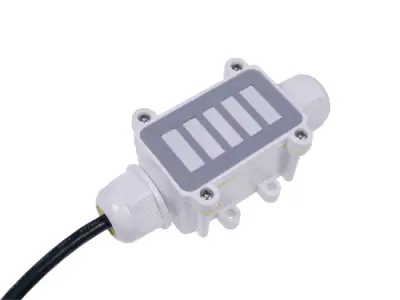
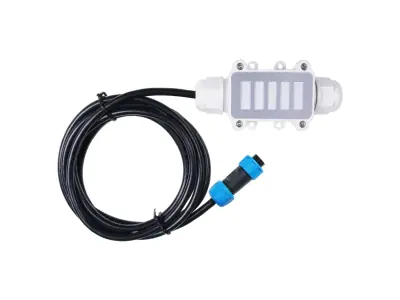
SenseCAP SOLO CO2 5000 (A2) - NDIR CO2 Sensor, MODBUS-RTU RS485 & SDI-12, with Waterproof Aviation Connector
A
The default output of the sensor is RS485 and the slave address is 1. If you need to use SDI-12 output, you need to open the cover and push the button on the board to ''1'' and ''2''. At the same time, check whether the wire sequence is correct.
What is recorded about the regulatory status and the life of this part.
Regulatory compliance
No compliance statement is recorded for this part. Ask the supplier for the RoHS and REACH declarations and, for a radio product, the EU declaration of conformity.
With your consent, we use Google cookies to measure the site’s audience and our advertising. Your quote basket and comparison stay in your browser either way. Details